Book a Live Hospital Management System Demo & Interactive Tour
Experience Cliniqwise, our flagship hospital management system used across 150+ hospitals and clinics in India. Explore our 1-screen OPD prescription desk, IPD ward maps, pharmacy inventory, lab reporting, and GST-compliant billing with native Ayushman Bharat Digital Mission (ABDM) compliance.
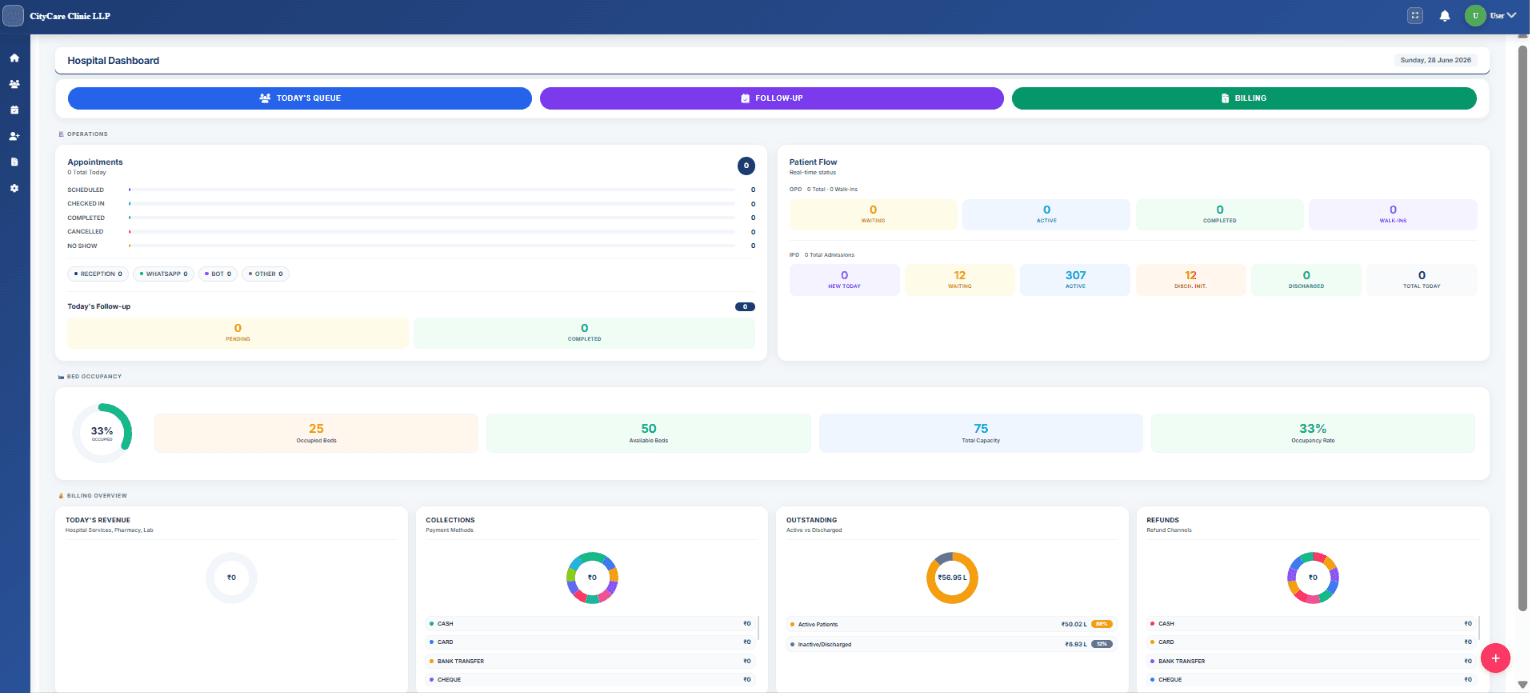
What Happens During a Hospital Management System Demo?
A typical demo session lasts 45-90 minutes. The demonstration follows your complete patient journey from registration through discharge.
Patient Registration
Front desk staff create patient records and capture demographic information. System assigns unique patient identifiers for accurate record tracking.
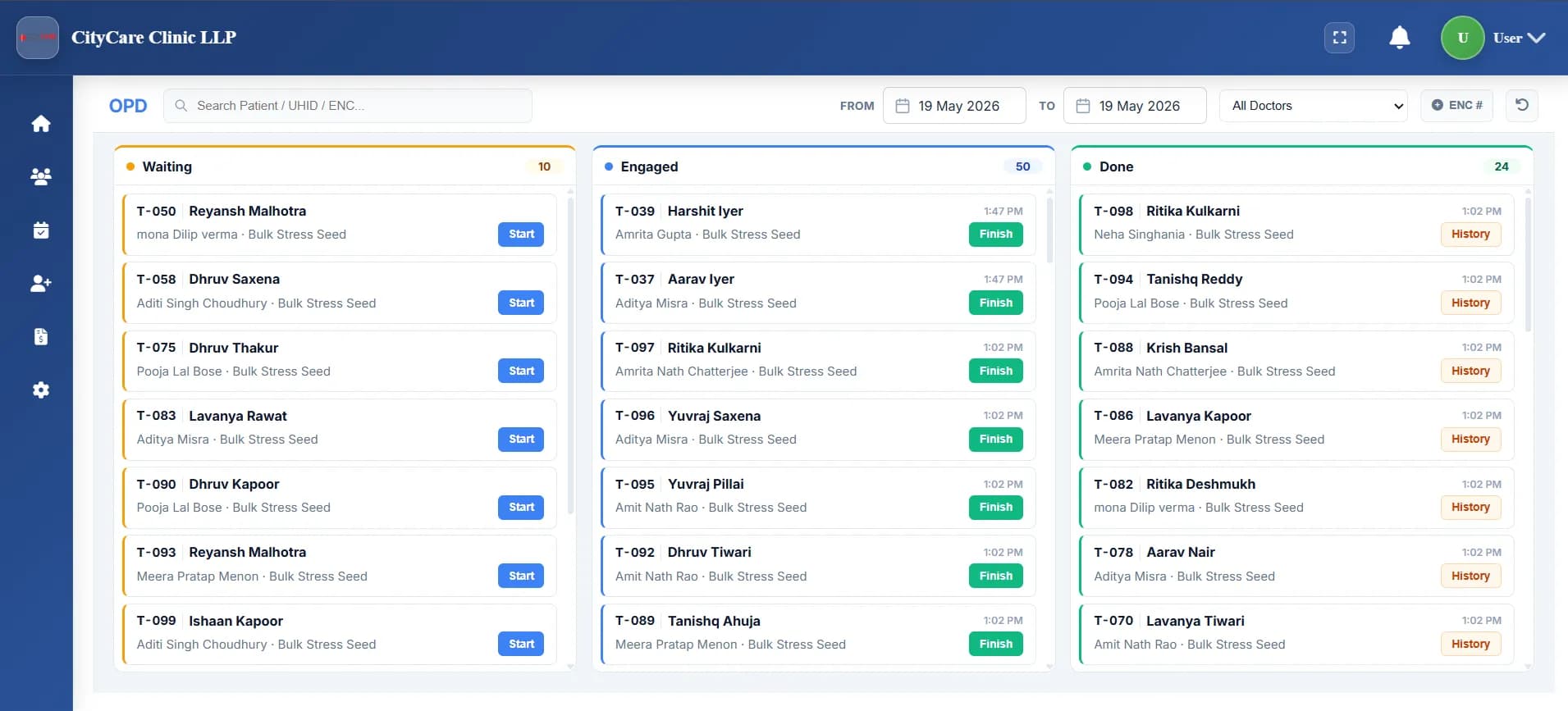
Quality demonstrations show real-time data flow between stages. Information entered once becomes available across all relevant departments without manual re-entry.
What You'll See in a Live HMS Demo
Comprehensive demonstrations cover all major hospital departments. Vendors should show actual software functionality rather than presentation slides.
How Does Outpatient Department Management Work in HMS?
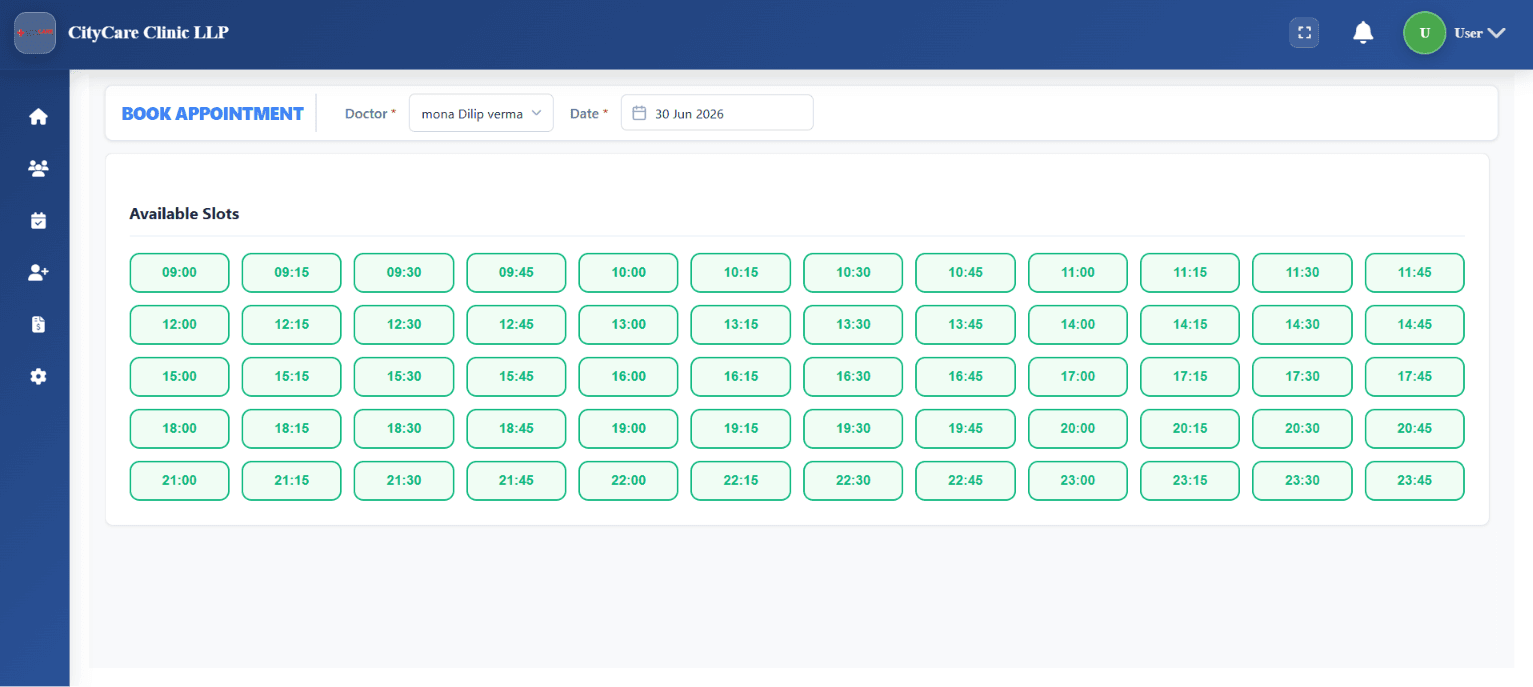
OPD demonstrations show patient registration and appointment scheduling workflows. Reception staff create patient records and book consultation slots with doctors.
- Real-time doctor availability display
- Walk-in patient management
- Quick registration under 30 seconds
- Appointment calendar with SMS reminders
What Should You Evaluate in Inpatient Department Software?
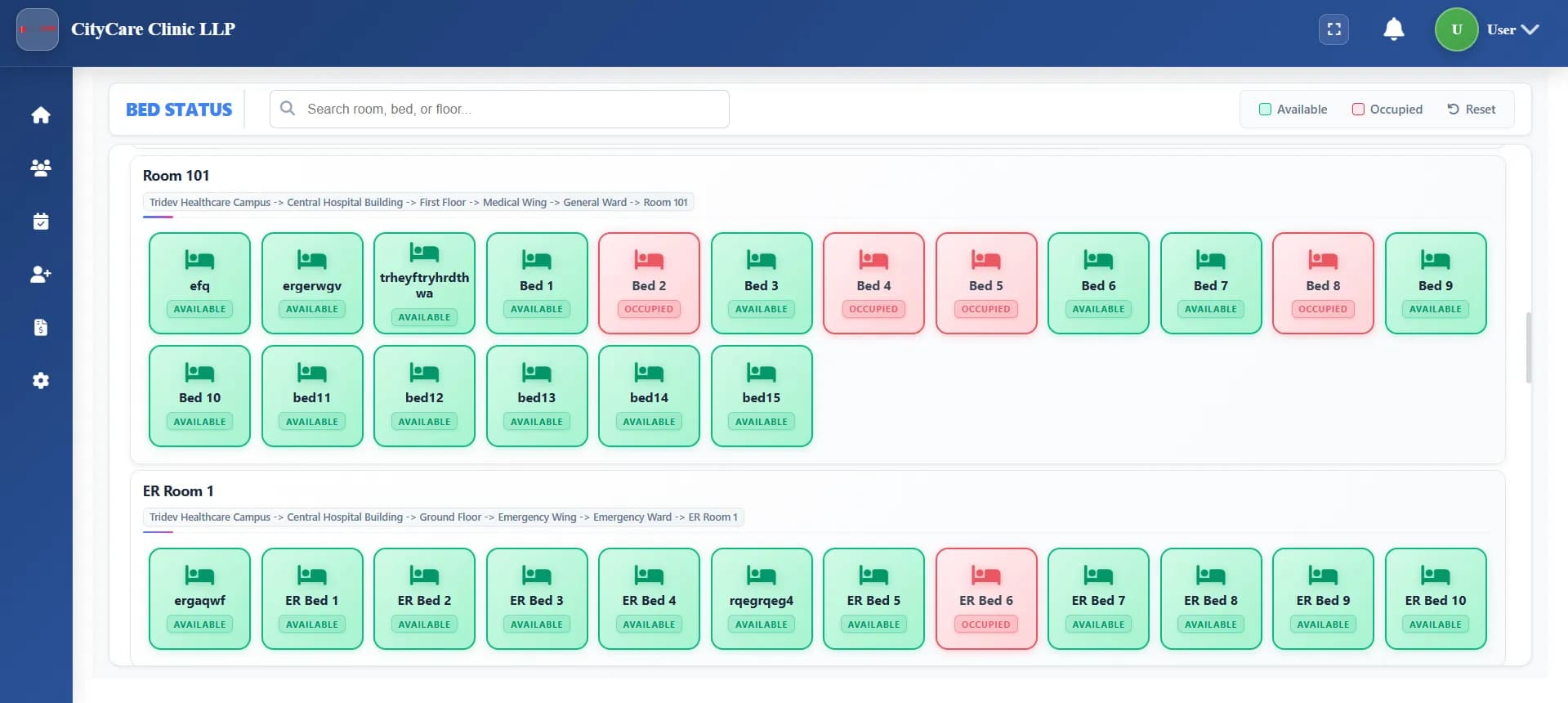
IPD functionality includes bed management and patient admission workflows. Staff assign beds based on availability and patient requirements.
- Visual bed occupancy mapping
- Nursing vitals and medication tracking
- Ward round patient timelines
- Discharge summary generation
What Should You Evaluate in Hospital Billing Software?
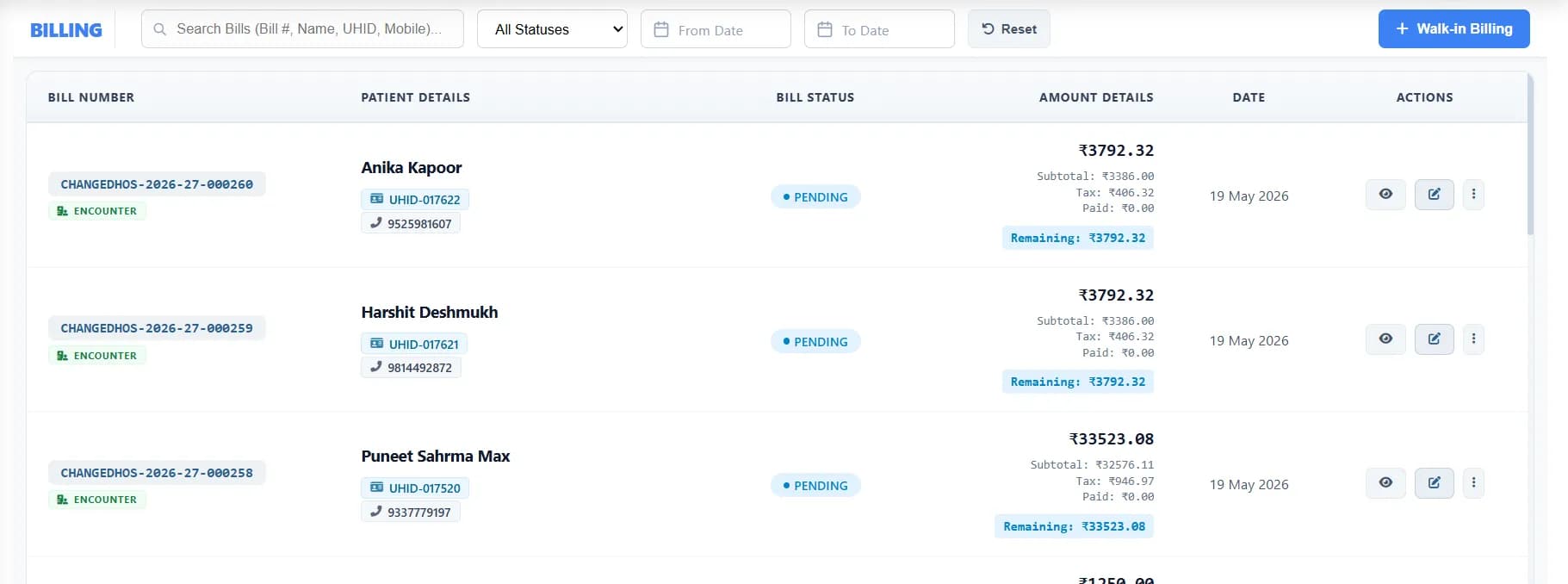
Billing demonstrations cover invoice generation and payment processing. Staff create itemized bills including consultations, procedures, medications, and lab tests.
- GST-compliant automated invoicing
- TPA & insurance claim processing
- Multiple payment methods
- Revenue leakage prevention
| Billing Feature | Purpose | Business Impact |
|---|---|---|
| Automated Invoice | Creates bills from service records | Reduces billing errors |
| Insurance Claim | Manages third-party payer docs | Improves reimbursement rates |
| Payment Tracking | Monitors outstanding balances | Enhances cash flow management |
| Discount Control | Applies approved pricing shifts | Prevents revenue leakage |
See These Features in Action
Schedule a live demonstration customized to your facility type.
How Does Laboratory Information System Work in HMS?
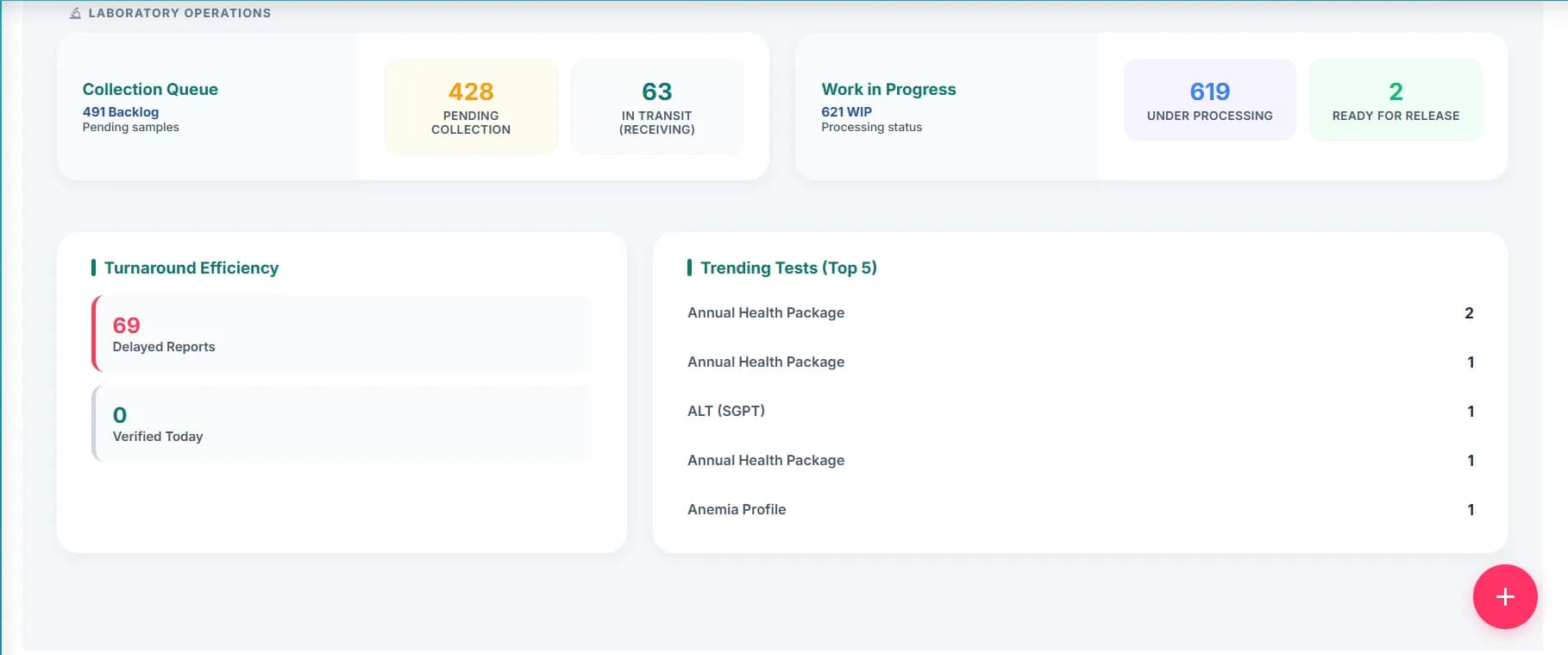
Lab module demonstrates test ordering and result reporting. Doctors order investigations directly from consultation screens. Technicians receive requests without paper forms.
- Direct HL7 lab machine integration
- Sample tracking and barcode scanning
- Critical value alerts to physicians
- Auto-upload results to patient records
How Does Pharmacy Management Work in Hospital Software?
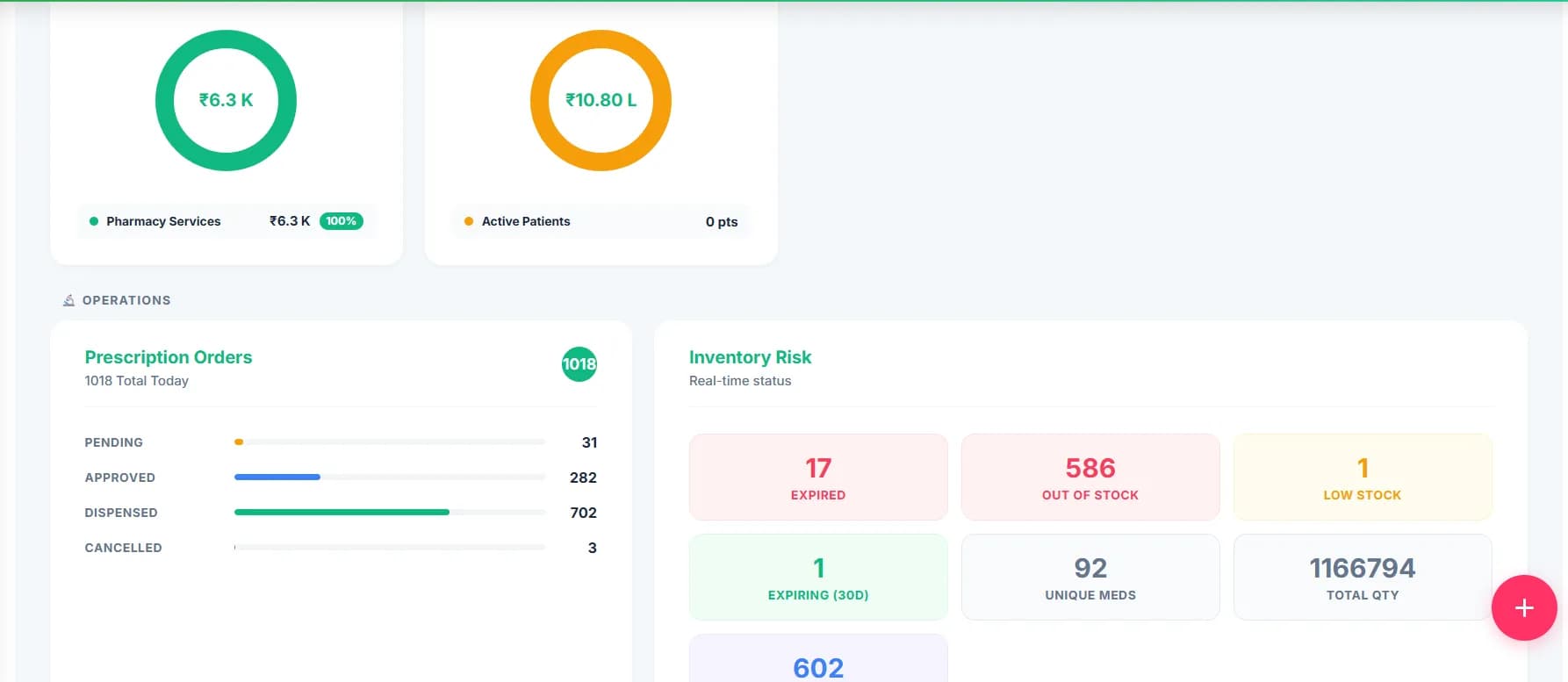
Pharmacy covers prescription verification and medication dispensing. Pharmacists receive electronic prescriptions directly from doctors with drug interaction alerts.
- Electronic prescription verification
- Drug interaction warnings
- Automatic reorder point alerts
- Batch and expiry tracking
How Do Electronic Medical Records Work in HMS?
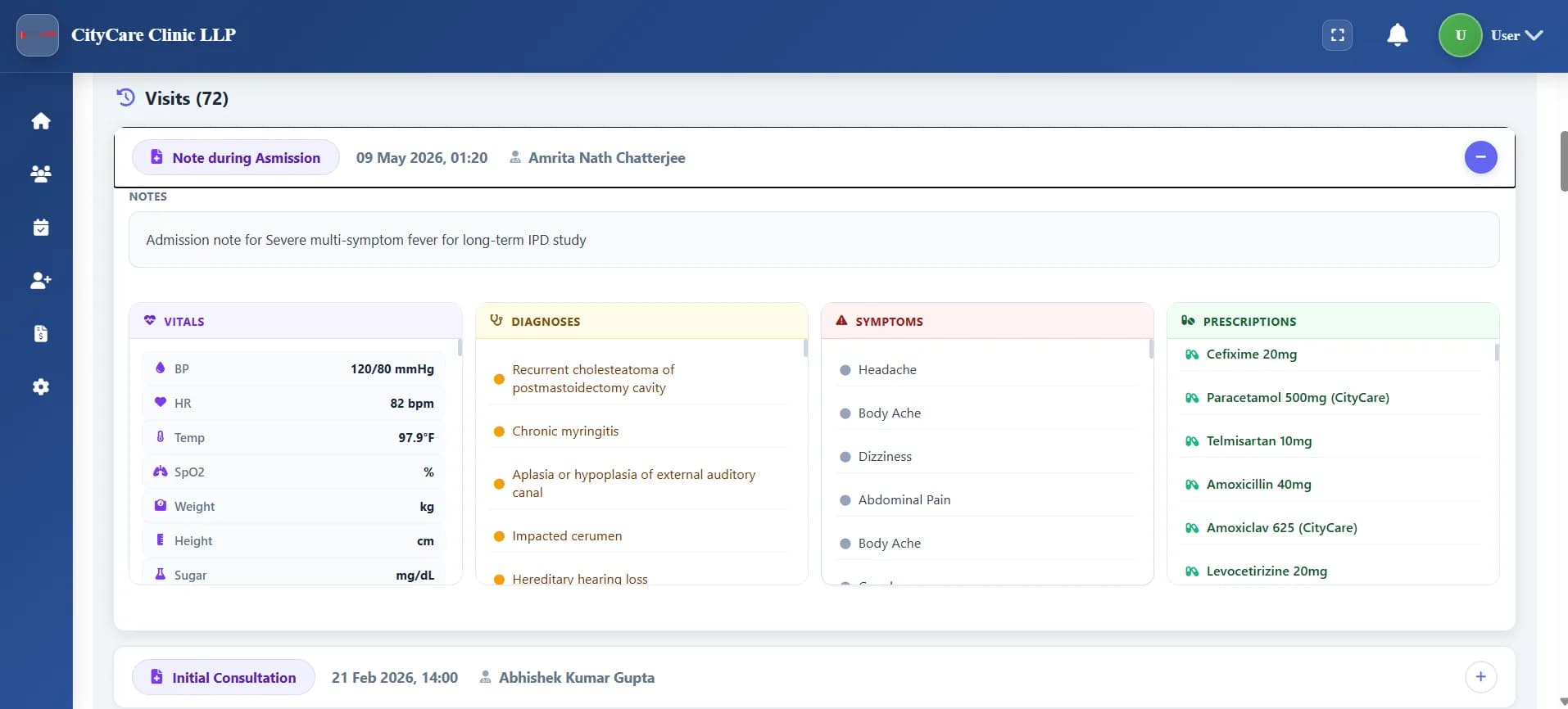
EMR centralizes complete patient information. Doctors access previous consultation notes, lab results, and medication history from one screen.
- Digital prescription with ICD-10 coding
- Patient timeline with full history
- Clinical note templates
- Structured documentation search
| EMR Component | Clinical Benefit | Who Uses It |
|---|---|---|
| Patient Timeline | Chronological view of history | Doctors reviewing progress |
| Digital Rx | Eliminates handwriting errors | Physicians and pharmacists |
| Clinical Notes | Structured logs with search | All clinical staff |
| Diagnostic Reports | Integrated lab results in chart | Doctors reviewing findings |
See These Features in Action
Schedule a live demonstration customized to your facility type.
How Does Inventory Management Work in a Hospital Management System?
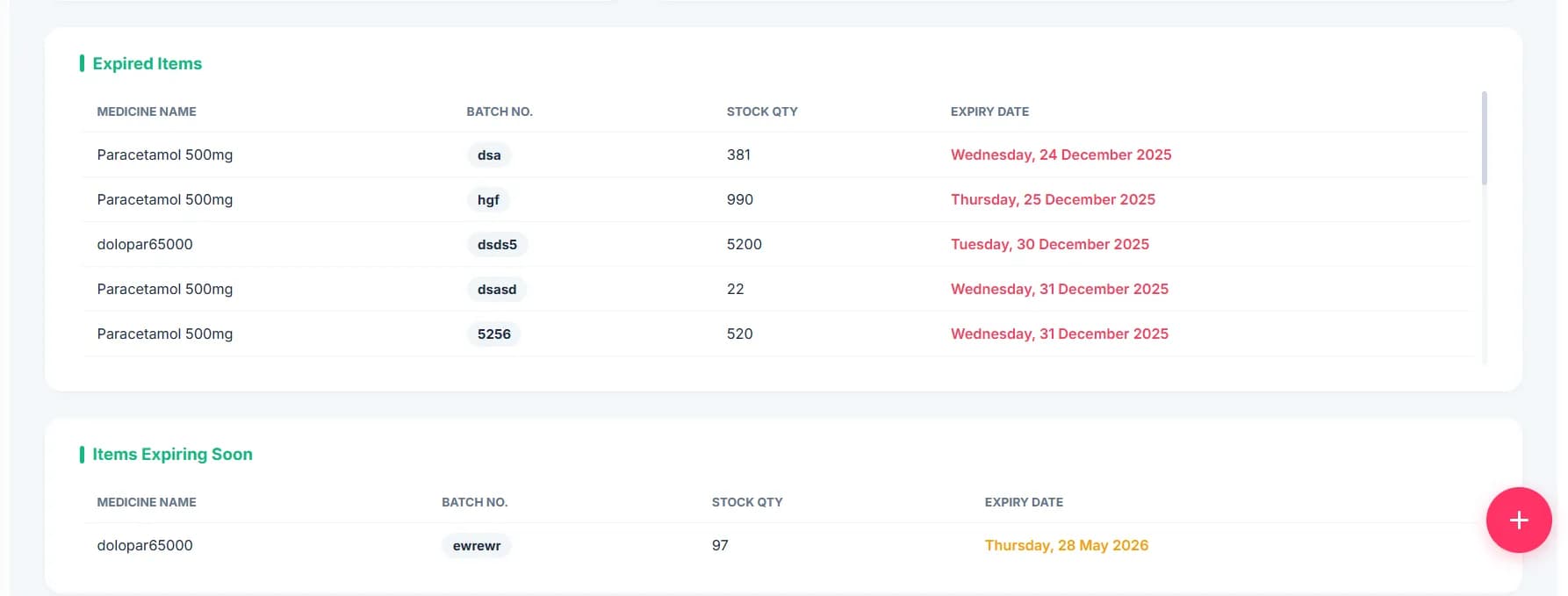
Inventory demonstrates stock management across pharmacy, laboratory, and general supplies. System tracks consumption patterns and usage rates.
- Multi-store stock management
- Automated purchase order generation
- Supplier performance tracking
- Approval hierarchies for procurement
Which Reports Should Every Hospital Management System Provide?
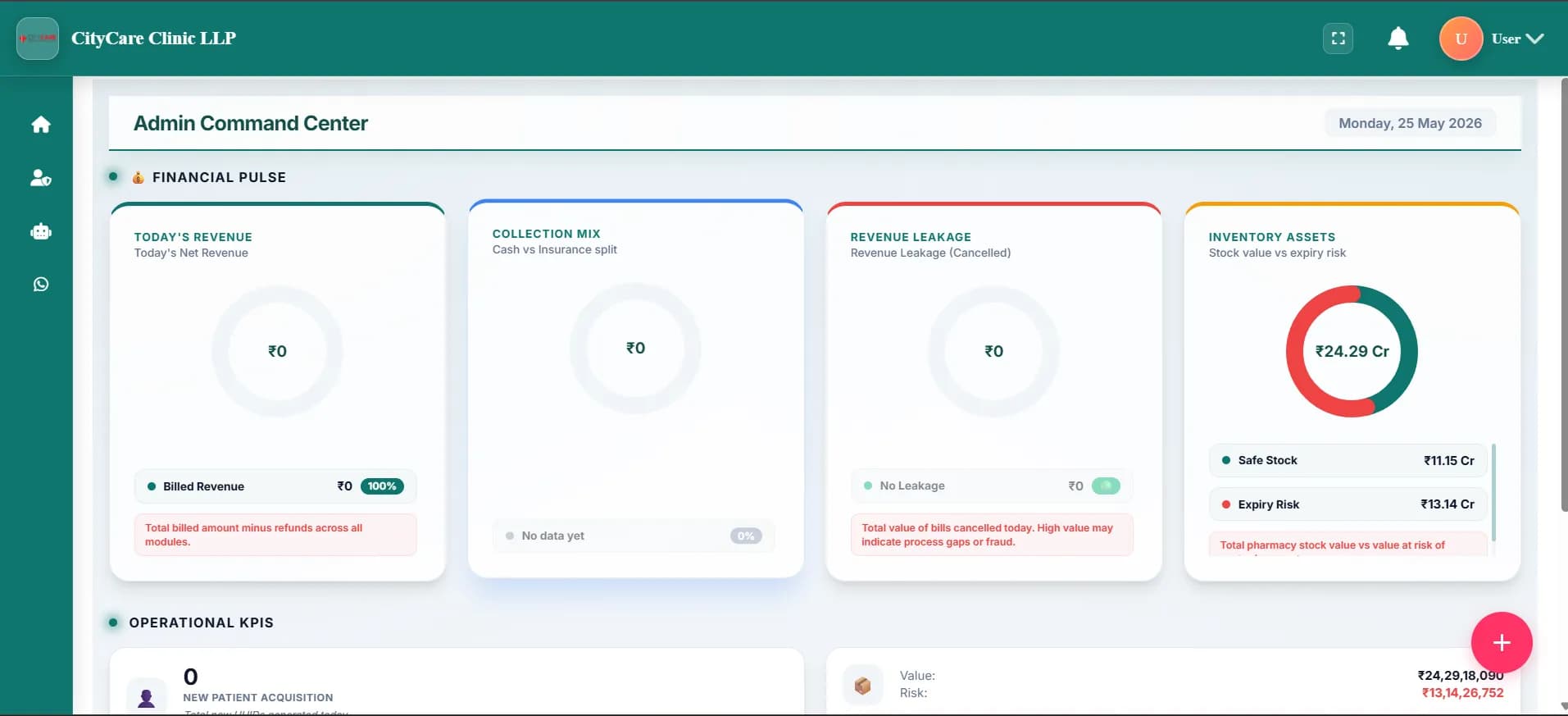
Reporting showcases operational insights and KPIs in real time. The system generates reports on patient volumes, revenue, and department efficiency.
- Real-time KPI dashboards
- Custom report builder
- Revenue and collection analytics
- Department efficiency metrics
What Mobile Apps Should HMS Vendors Provide?
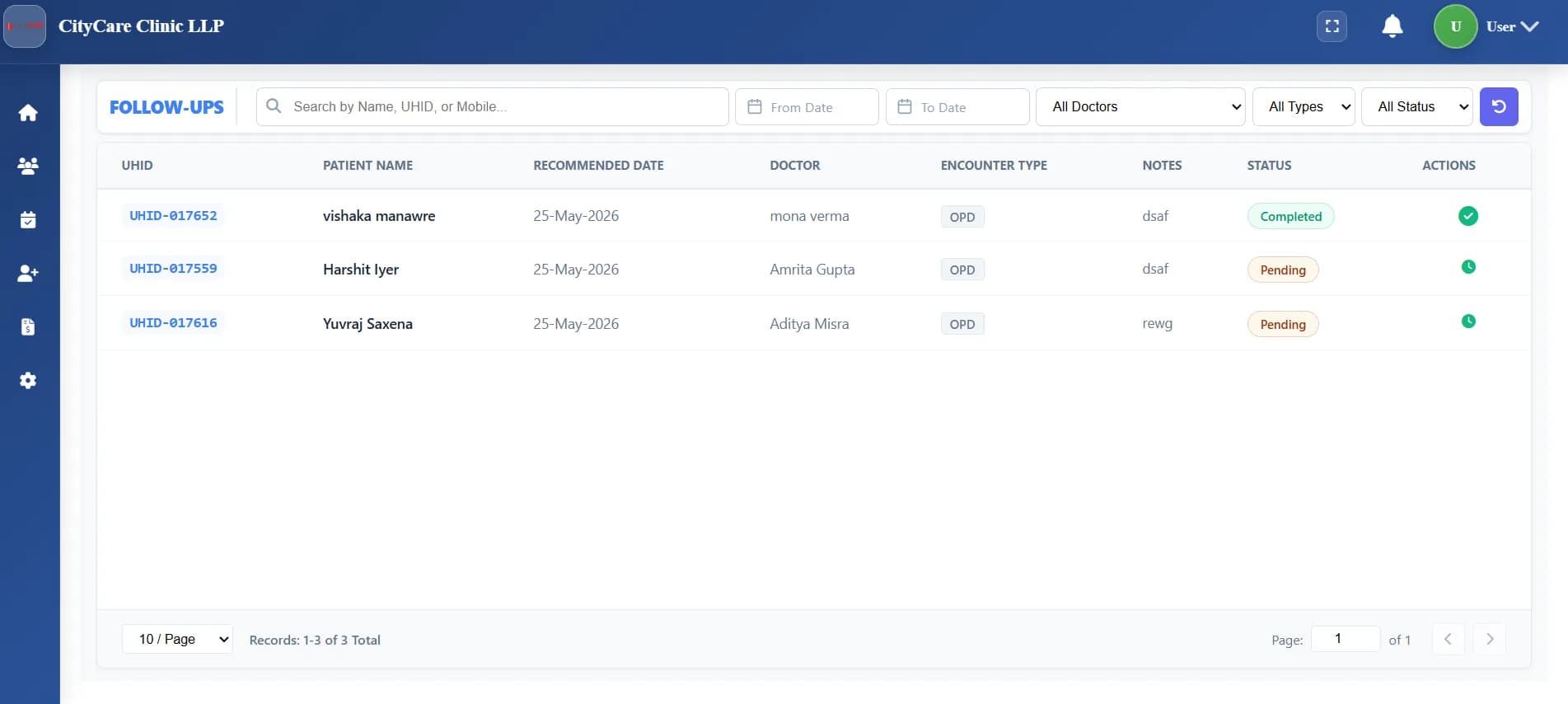
Mobile demonstrations show how doctors access patient information from smartphones. Nurses use tablets for bedside medication administration. Patients book appointments through dedicated apps.
- Separate apps for each role
- Doctor app for prescriptions on-the-go
- Patient app for booking and reports
- Nurse app for bedside charting
See These Features in Action
Schedule a live demonstration customized to your facility type.
What is ABDM Ready HMS Software?
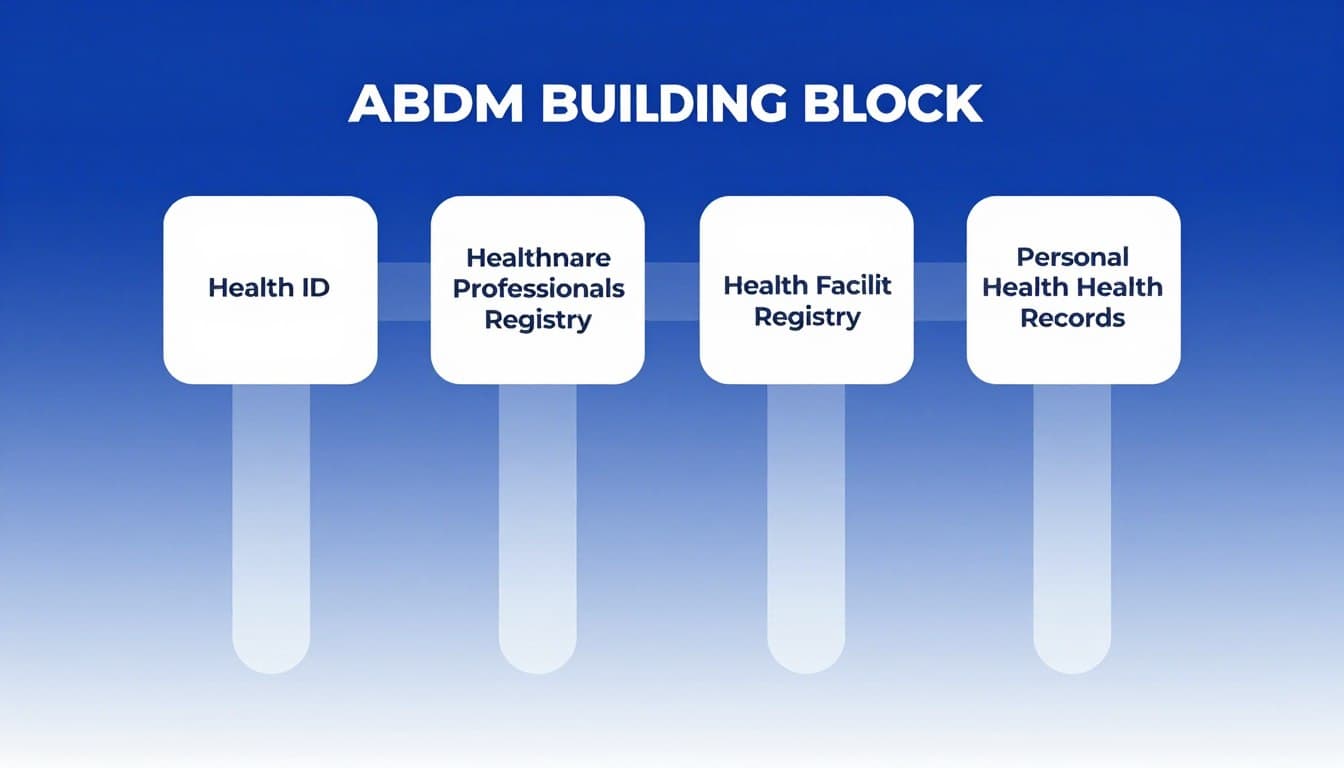
ABDM-ready systems integrate with India's Ayushman Bharat Digital Mission. The software creates and links ABHA numbers for patients and facilitates health record sharing.
- ABHA number creation and linking
- Scan-and-share health records
- National digital health ecosystem
- Government compliance ready
Which HMS Solution Fits Your Facility Type?
A ten-bed nursing home operates differently from a hundred-bed multi-specialty hospital. Different facilities need distinct software setups.
| Facility Type | Primary Focus | Implementation |
|---|---|---|
| Clinic (1-5 doctors) | OPD efficiency and patient throughput | Low — 1 to 2 weeks |
| Nursing Home (10-20 beds) | IPD management and nursing workflows | Medium — 2 to 4 weeks |
| Small Hospital (20-50 beds) | Department integration and coordination | Medium — 4 to 6 weeks |
| Multi-Specialty (50+ beds) | Enterprise-wide workflow automation | High — 6 to 12 weeks |
Essential Clinic Features
Small facilities benefit from solutions with minimal training requirements and quick onboarding.
- Appointment scheduling with SMS reminders
- Quick patient registration processes
- Digital prescription generation
- Basic billing and payment tracking
- Medication inventory management
- Simple report generation
Clinic Implementation Priorities
Staff turnover makes complex systems difficult to maintain. Quick processes reduce operational disruption.
- Fast go-live timelines under two weeks
- Minimal staff training requirements
- Affordable monthly subscription costs
- Mobile app for doctors
- WhatsApp integration for communication
- Cloud-based access from any location
How Does HMS Implementation Work?
Successful implementation requires careful planning and phased deployment. Understanding implementation stages helps set realistic expectations.
Pre-Implementation Planning
Requirement gathering and workflow mapping. Vendors analyze current processes and identify customization needs. Data migration planning addresses existing records.
System Configuration
Software adapts to your specific requirements. Vendors set up departments, user roles, and billing structures. Lab equipment connections enable automatic result capture.
Staff Training
Role-specific training covers daily system usage. Doctors learn prescription and EMR workflows. Billing staff master invoice generation. Cliniqwise emphasizes intuitive design that reduces training time.
Data Migration
Patient records transfer from existing systems or paper files. Vendor teams validate accuracy and completeness. Master data setup includes medication lists, test catalogs, and service pricing.
Go-Live & Stabilization
Phased approach starts with specific departments. On-site support during initial days resolves issues quickly. Vendors monitor performance and user feedback for fine-tuning.
Ongoing Support
Technical assistance and regular software updates. Responsive vendors resolve issues before they impact patient care. Dedicated support teams provide better assistance.
Training Best Practices
- Role-specific sessions focusing on daily tasks
- Hands-on practice with realistic scenarios
- Documentation and quick reference guides
- Super-user identification for peer support
- Refresher sessions post-implementation
Common Training Challenges
- Staff resistance to technology changes
- Scheduling training around clinical duties
- Varying technology comfort levels
- Language and terminology barriers
- Retention of training information
Discuss Your Implementation Timeline
Schedule a consultation to understand how Cliniqwise can adapt to your go-live requirements.
What Mistakes Should You Avoid When Choosing HMS?
HMS selection involves significant investment and long-term commitment. Avoiding common mistakes improves chances of successful implementation.
Focusing Only on Features
Lengthy feature lists impress buyers but don't guarantee satisfaction. Staff adoption depends more on workflow fit than feature quantity. Focus on features that address your specific operational challenges.
Neglecting Staff Input
Administrators sometimes select systems without consulting end users. Doctors and nurses who use the software daily have valuable insights. Their buy-in significantly impacts implementation success.
Underestimating Training Requirements
Complex systems require extensive training that delays go-live dates. Ask vendors about typical training durations during demonstrations. Simple systems like Cliniqwise reduce training burdens significantly.
Ignoring Customization Limitations
Generic software rarely matches unique facility workflows perfectly. Discuss customization capabilities during demonstrations. Evaluate whether standard configurations accommodate your requirements.
Overlooking Vendor Support Quality
Post-purchase support determines long-term satisfaction. Research vendor reputation and support track records. Evaluate support channel availability and response time commitments.
Failing to Plan for Growth
Today's ten-bed nursing home may expand to thirty beds. Systems should scale without complete replacement. Cloud-based solutions typically offer better scalability.
Effective Evaluation Approaches
- Include end users in demo sessions
- Test actual workflows with your data
- Verify vendor support responsiveness
- Assess training requirements realistically
- Check customer references thoroughly
- Evaluate long-term cost implications
Poor Decision Practices
- Deciding based on price alone
- Trusting marketing materials only
- Skipping reference checks
- Ignoring staff feedback
- Overlooking implementation timelines
- Neglecting contract terms review
Essential Questions to Ask During Every HMS Demo
Prepared questions help extract maximum value from vendor demonstrations. Use these extractive scorecard items to test real capabilities versus marketing promises.
Workflow & Usability Questions
How many clicks should patient registration take in an HMS?
Can doctors create prescriptions in under two minutes?
How does the system handle walk-in patients without appointments?
What happens when internet connectivity fails?
Can staff access the system from personal mobile devices?
Implementation Questions
What is your typical implementation timeline for 10-100 bed facilities?
How many staff hours does training require?
What data migration support do you provide?
Security, Compliance & Cost Questions
Are you ABDM M1, M2, and M3 certified?
What is your complete cost structure and licensing model?
Download the 50-Point Hospital HMS Evaluation Scorecard
Skip long forms. Get the complete PDF scorecard delivered directly to your WhatsApp in 5 seconds.
Objective HMS Evaluation Framework
Systematic evaluation prevents emotional decision-making. Use this quantitative scorecard to compare Hospital Management System options objectively.
Evaluation Criteria & Suggested Weights
Assign weights based on your facility priorities. Total weights must equal 100%.
| Category | Weight | Key Assessment Factors |
|---|---|---|
| Workflow Fit | 25% | Matches current processes, minimal adaptation required, supports templates. |
| Ease of Use | 20% | Intuitive interface, low click counts, minimal training for clinical staff. |
| Features & Functionality | 15% | Addresses all operational requirements adequately (OPD, IPD, billing). |
| Implementation Support | 15% | Clear timeline, data migration assistance, training program quality. |
| Ongoing Support | 10% | Response times, dedicated support channels, vendor track record. |
| Cost & Value | 10% | Total cost of ownership (TCO) over 5 years, transparent pricing. |
| Scalability | 5% | Growth accommodation, multi-specialty support, additional user costs. |
Reference Checking Questions
Customer references provide unfiltered insights. Prepare these specific questions for existing users of the vendor:
- How closely did implementation match promised timelines?
- What unexpected challenges arose during the migration?
- How responsive is the vendor support team on a daily basis?
- What would you do differently if you were selecting the system again?
- Would you choose this vendor again for your hospital?
- What limitations have you discovered after several months of live usage?
HMS Evaluation Scorecard
Download our comprehensive 30-point evaluation framework. Compare vendor matrices, readiness metrics, and workflow compatibility.
FAQs About HMS Demos
Find answers to common questions about booking, evaluating, and using Hospital Management System demos.
What is included in a Hospital Management System demo?
How long does a typical HMS demo session take?
Can multiple doctors and staff members attend the demo?
What should I evaluate before buying HMS software?
How does HMS software improve hospital workflow?
What is ABDM Ready HMS software?
How do EMR and EHR differ in hospital systems?
How quickly can hospitals implement HMS software?
Should hospitals choose cloud-based or on-premise HMS?
What mobile apps should HMS vendors provide?
Making Your HMS Selection Decision
Selecting hospital software affects operations for years. Prioritize workflow compatibility over feature quantity to guarantee implementation success.
Primary Decision Factors
Ease of Use
Intuitive interface requiring minimal training from clinical and front desk staff.
Workflow Fit
Matches current processes with minimal adaptation or vendor re-coding.
Staff Adoption
User-friendly interface encourages usage rather than causing resistance.
Support Quality
Responsive technical assistance and a dedicated service desk — see our hospital management software support & SLAs.
Secondary Considerations
Compliance
ABDM milestone compliance and regulatory security certificates.
Scalability
Accommodates future clinic growth, bed expansions, and branch additions.
Automation
Eliminates redundant entries and automates billing ledger creation.
Long-Term Value
Low total cost of ownership (TCO) vs expected return on investment.
Schedule Your Personalized Cliniqwise Walkthrough
See how an integrated hospital workflow operates in practice. Experience templates designed for faster staff adoption with minimal training.