Clinic Management Software in India: How to Choose the Right One
Give a concise, direct answer in 40–60 words that clearly answers the question in a definition or quick-explanation format, suitable for a Google Featured Snippet.
Quick Answer
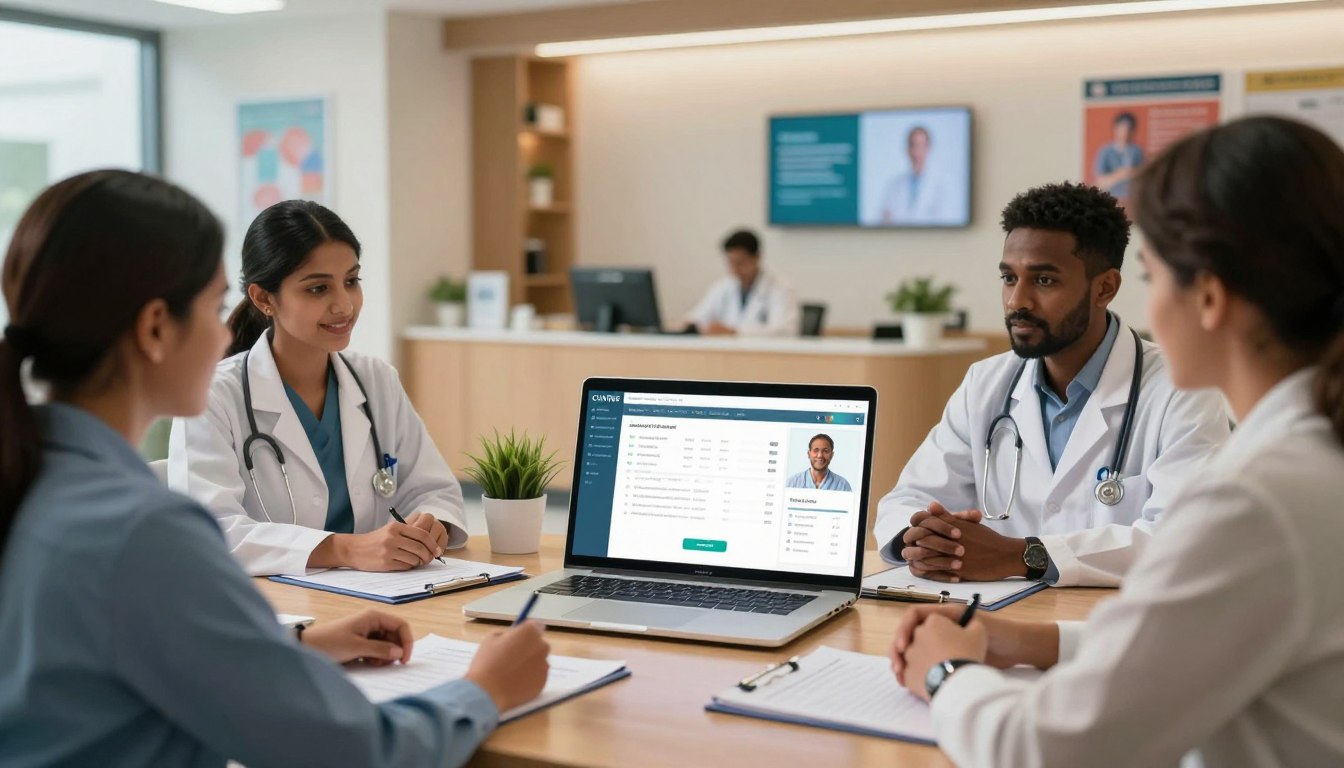
Clinic management software is a digital system that helps doctors and clinics manage patient registration, appointments, consultations, medical records, billing, prescriptions, pharmacy, laboratory workflows and reports from one platform. It reduces manual work, keeps patient information organized and helps clinic staff manage daily operations more efficiently.
As a healthcare professional, I know managing a busy practice is tough. It's not just about treating patients. It's also about han dling paperwork and admin tasks. That's where clinic management software in India comes in. It helps me manage my practice better, so I can focus on what matters most.
This guide aims to help doctors and practice owners find their way in the digital world. The right clinic software isn't about adding more tech. It's about finding tools that help your team and make patient care better. We'll look at how thes e systems make tasks like booking, billing, and lab work easier.
See how our clinic management software handles the OPD queue, prescriptions and WhatsApp bills.
Key Takeaways
Digital tools help organise patient records and medical histories efficiently.
Automated appointment scheduling reduces waiting times and improves clinic attendance.
Integrated billing and pharmacy modules ensure accurate financial reporting and stock control.
Choosing the right system prioritises user-friendly interfaces for your medical staff.
Effective platforms enhance communication between doctors, patients, and administrative teams.
What Clinic Management Software in India Should Help Me Manage
A strong clinic management system is key for my healthcare facility. It connects every part, from patient arrival to final billing. This ensures my practice runs smoothly and clearly.
How a clinic management system connects front-desk, clinical and administrative work
Digital clinic management bridges different departments. When a patient is registered, their info goes straight to the doctor. This cuts down on manual work and keeps all data in sync.
"The greatest value of technology in healthcare is not just in storing data, but in making that data actionable for better patient outcomes."
Which healthcare pr ofessionals benefit from digital clinic management
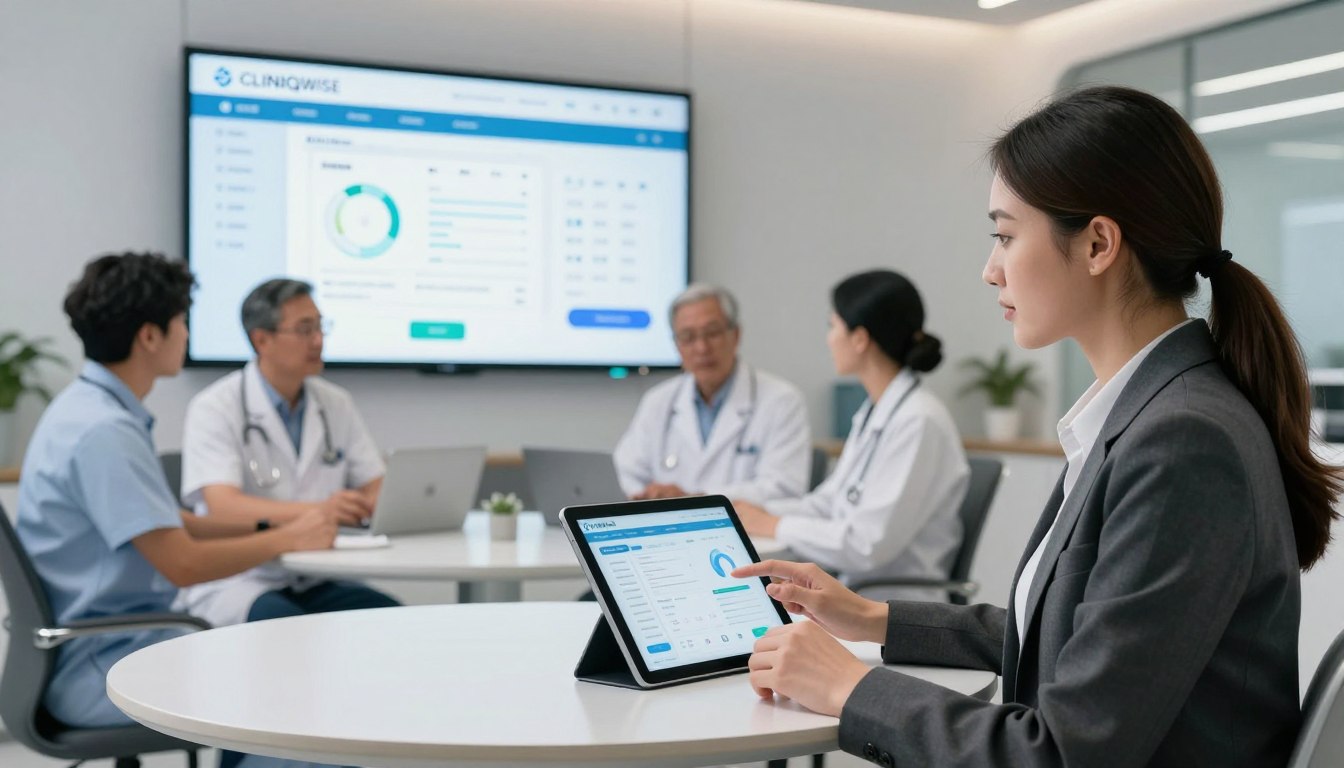
Every team member is crucial in patient care. A unified platform meets their unique needs with tailored tools.
Doctors and independent practitioners
For me, clinical efficiency is top priority. I need quick access to patient history and easy EMR templates to focus on patient care.
Clinic owners, administrators and practice managers
My admin team needs clear views of daily operations. They use tools to track revenue, manage staff, and inventory to keep the clinic profitable.
Multispeciality clinics and growing healthcare facilities
As my facility grows, managing multiple departments gets complex. A scalable clinic management system helps me oversee various specialities and operations from one dashboard.
Why replacing disconnected spreadsheets and paper records matters
Using paper files or broken spreadsheets can cause avoidable errors and lost data. Switching to a digital system reduces these risks. It saves time and ensures a consistent patient experience.
How I Assess My Clinic’s Requirements Before Choosing Software
Starting a digital transformation needs a deep look at current clinic processes. Before picking medical practice management software, I must know its strengths and weaknesses. This ensures the chosen tech supports my clinical goals well.
Step 1: Map my current patient, appointment and consultation journey
I document every step of a patient visit. This includes booking, waiting, the consultation, and checkout.
How does the patie
nt book an appointment?
What information is collected at the front desk?
How are clinical notes and prescriptions currently generated?
Step 2: Identify delays, duplicate entry and avoidable administrative work
I look for areas where my staff is slowed down. If they enter the same details in different places, it's a waste of time. Efficiency is key when finding doctor practice management software.
"The greatest waste in any organisation is the failure to use the time of skilled professionals on tasks that could be automated."
Step 3: Define the number of users, branches, doctors and specialities
My needs change with the size of my practice. I list all staff who will use the system daily. I also think about managing different locations or specialities.
Step 4: Separate essential features from useful future capabilities
I sort my needs into "must-haves" and "nice-to-haves." Basic records and billing are must-haves. Advanced analytics or mobile apps are nice-to-haves. This helps avoid spending on unnecessary tools.
Questions I should ask about OPD, IPD, teleconsultation and follow-up care
I need to make sure the software fits my clinical workflows. I ask:
Does the system handle OPD and IPD smoothly?
Is there a module for secure teleconsultation?
How does it remind patients for follow-ups?
How I should account for Indian billing, insurance and TPA requirements
Working in India means focusing on financial workflows. I check if the medical practice management software can handle Indian billing. This includes TPA, insurance, and GST-compliant invoicing.
I also verify if the system makes payment reconciliation easy. Good doctor practice management software should reduce paperwork, letting me focus on patient care.
Patient Registration, Tracking and Appointment Management Features
Improving the patient journey starts when they arrive at my clinic or visit my website. By using patient management software, I can track every interaction accurately from the start.
Creating accurate patient profiles without repeated data entry
Manual entry often leads to errors and frustration. With digital systems, I only need to input patient details once. This creates a comprehensive profile for all future visits.
Tracking patient visits, referrals, follow-ups and treatment history
Keeping a clear view of a patient's medical journey is crucial for consistent care. My system links every referral, follow-up, and past treatment to a single record.
Using doctor appointment software for calendars, queues and rescheduling
Managing a busy clinic needs reliable doctor appointment software. This technology helps me manage my time and ensure patients get timely care.
Online and front-desk appointment booking
I now offer online booking for my patients. My front-desk team handles walk-in requests. This keeps my calendar updated in real-time, avoiding double bookings.
Doctor availability, slot allocation and waiting-list management
I can easily set my availability and allocate time slots. If a slot opens, the system updates the waiting list, reducing waste.
Walk-in registration and token-based OPD queues
For clinics with many walk-ins, a token-based system is key. It helps manage OPD queues efficiently, keeping patients informed about wait times.
Reducing registration delays with searchable patient record management
Searching for physical files causes delays in many clinics. A digital database allows my team to find patient history quickly. This speeds up the registration process.
Feature | Manual Process | Digital System |
Data Entry | Repeated for every visit | One-time entry |
Appointment Booking | Phone or paper diary | Online and real-time |
Queue Management | Physical tokens/verbal | Automated digital queue |
Record Retrieval | Slow file searching | Instant search results |
OPD, Consultation and EMR/EHR Capabilities I Should Expect
The move to digital clinical management starts with mastering OPD and consultation workflows. A good system makes every step smooth, from check-in to discharge.
Managing OPD workflows from check-in to consultation completion
My daily work relies on a smooth patient flow. Digitising check-in lets me see where patients are in the queue. This helps me manage my time better and cuts down waiting times.
Recording symptoms, examinations, diagnoses and clinical notes in an EMR
Using emr software helps me record important clinical data easily. I can note down symptoms, examination results, and diagnoses quickly. This digital method makes my notes clear, organised, and easy to access later.
Using EHR software to maintain a longitudinal patient history
Ehr software gives a full view of a patient's health over time. It tracks long-term conditions and treatment responses across visits. This longitudinal history is key for high-quality, evidence-based care.
Reviewing allergies, previous consultations, investigations and prescriptions quickly
I need quick access to patient info during consultations. Modern systems let me see past prescriptions, lab results, and allergies on one screen. This fast access prevents mistakes and helps me make informed decisions.
Supporting speciality-specific templates without restricting clinical judgement
Every medical speciality has its own needs for documentation. I prefer systems with customisable templates. These templates help me work faster while still allowing for my professional judgement.
Maintaining accurate records while avoiding duplicate clinical documentation
Efficiency is crucial in a busy clinic. By linking diagnosis to prescriptions and billing, I avoid repeating the same info. This integration keeps my records accurate and consistent across departments.
Using digital records as decision support rather than a replacement for professional care
I see these digital tools as decision support, not a replacement for my skills. While the software organises data, my expertise is what makes the diagnosis and treatment plan. The technology just helps me focus on the patient.
Feature Category | Digital Capability | Clinical Benefit |
Patient History | Longitudinal EHR | Better long-term outcomes |
Documentation | Speciality Templates | Faster, precise notes |
Safety | Allergy Alerts | Reduced medication errors |
Workflow | Integrated OPD | Lower patient wait times |
Prescriptions, Billing, Pharmacy, Laboratory and Inventory Management
Streamlining my clinic’s daily operations means linking clinical notes to billing and pharmacy workflows. A unified platform ensures all services are accounted for. This reduces revenue loss and administrative stress.
Generating clear digital prescriptions and maintaining medication history
Digital prescriptions are better than handwritten ones because they avoid mistakes. They help keep a detailed medication history for each patient. This is essential for safe long-term care.
Managing clinic billing, invoices, payments, discounts and refunds
Effective clinic billing software is the financial core of my practice. It lets me create professional invoices quickly. It also handles discounts and refunds clearly.
Reducing billing errors through linked consultation and service charges
Linking consultation notes to billing reduces errors. This happens because every service is captured automatically. It cuts down on mistakes made when entering data manually after a busy day.
Supporting cash, card, UPI and other commonly used payment methods in India
My patients want flexibility, so I use medical billing software that accepts many payment types. Whether it's UPI, credit cards, or cash, the system reconciles these in real-time. This keeps my accounts balanced.
Connecting clinic pharmacy management with prescriptions and stock records
Integrating clinic pharmacy management with my prescription module ensures patients get the right medication. This connection prevents errors and updates stock records automatically.
Monitoring batches, expiry dates, quantities and reorder levels
Tracking medicine batches and expiry dates is crucial for safety. The system alerts me when stock levels are low. This ensures I always have essential supplies.
Organising clinic laboratory management, test orders and results
Lab workflows need high accuracy for patient safety. I use my software to order tests directly from the consultation screen. This keeps the process organised and efficient.
Linking investigations and reports to the correct patient record
Linking lab results to the right patient record is key. It ensures all test results are available when reviewing a patient's history. This aids in making informed decisions.
Controlling consumables and medical inventory across departments or branches
Managing consumables across departments is complex. My software gives a central view of inventory. It helps track usage and prevent waste across all branches.
"The integration of clinical and financial data is not just about convenience; it is about creating a reliable foundation for patient safety and operational excellence."
— Healthcare Operations Expert
Feature | Manual Process | Digital System |
Billing Accuracy | High error risk | Automated precision |
Stock Tracking | Time-consuming | Real-time alerts |
Report Access | Physical files | Instant digital retrieval |
Payment Methods | Limited | UPI, Card, Cash |
Reports, Notifications and Workflow Automation for Smoother Operations
My clinic's daily operations need more than just software. They need a smarter way to handle data and tasks. With clinic automation software, I make sure all information moves quickly between teams.
Using operational reports to understand appointments, revenue and patient flow
Operational reports give me a clear view of my practice's health. I track daily appointments, find peak hours, and see revenue trends. This helps me plan staff schedules and improve patient experience.
Creating clinical, financial, pharmacy, laboratory and inventory reports
A good patient record management software offers many reports. I get summaries for clinical outcomes, financial audits, and more. This data helps me understand each department's performance.
Report Type | Key Metric | Benefit |
Financial | Daily Collections | Improved Cash Flow |
Clinical | Diagnosis Trends | Better Care Planning |
Inventory | Stock Expiry | Reduced Wastage |
Automating appointment reminders, follow-up notifications and prescription communication
Good communication keeps patients coming back. Automated systems send reminders and follow-ups, cutting no-shows. Digital prescriptions also save time and reduce paperwork.
"The true value of technology in healthcare is not just in digitising records, but in creating a seamless, responsive environment that puts the patient at the centre of every interaction."
Routing tasks between reception, doctors, pharmacy, laboratory and accounts teams
Task routing keeps everything on track. When a doctor finishes a consultation, the system alerts the next team. This keeps the clinic running smoothly.
Replacing manual handovers with status updates and assigned responsibilities
Ditching manual handovers for digital updates clears up confusion. Each team member knows their role. This makes the patient journey clear and efficient.
Choosing useful dashboards instead of collecting reports nobody reviews
Too much data can be overwhelming. I focus on dashboards with useful insights. My team reviews visual, real-time metrics daily. This keeps them focused on quality care.
How CliniqWise Supports Indian Clinic and Healthcare Workflows
Running a busy clinic in India needs a system that handles all patient care and admin tasks. CliniqWise is a top healthcare management software. It makes sure clinics run smoothly and patients get the best care.
Using CliniqWise as an Indian healthcare technology platform
This system tackles the special challenges Indian doctors face. Choosing healthcare software in India means my clinic meets local rules and uses the latest tech.
Managing patient tracking, registration, appointments and OPD in one system
Now, I can manage my front desk better. Patient registration and scheduling are all in one place. This makes sure patients don't wait long and are happier with their visits.
Connecting IPD, EMR/EHR, billing, pharmacy and laboratory operations
CliniqWise is a central hub for my clinic. It links inpatient care, electronic records, billing, pharmacy, and lab results. This helps doctors make better decisions.
Controlling inventory, reports and bed management as the organisation grows
As my clinic gets bigger, I need tools to keep track of stock and finances. The platform offers clinic software in India features. These help manage beds and supplies well, avoiding shortages.
Handling insurance and TPA workflows with better administrative visibility
Dealing with insurance claims and TPA processes is hard. But this system gives me clear views on claim statuses and documents. This cuts down errors and speeds up payments.
Using notifications and automation to support staff and patient communication
I use automated reminders to keep patients on track with appointments. These reminders cut down on missed visits and improve our patient relationships.
Scaling from a single doctor practice to larger and multispeciality facilities
This platform is flexible. It works for small practices or big hospitals. It meets the needs of any size clinic.
Matching CliniqWise capabilities to a small clinic’s immediate needs
For small clinics, starting with basic modules like scheduling and billing is best. This lets us digitise key tasks without feeling overwhelmed.
Planning broader workflows for hospitals, branches and multidisciplinary teams
As we grow, we can add more features. This makes sure our investment grows with our clinic, helping us reach more patients.
Practical Benefits I Can Expect from a Clinic Management System
Switching to digital workflows brings big benefits for my practice and patients. Using opd management software makes complex tasks easier. This lets me focus more on patient care, not paperwork.
Centralising patient records for faster and more informed care
Having all patient data in one place saves time. No more searching through files. It means my team can make quicker, more accurate decisions.
Shortening registration and appointment-processing time
Digital check-ins cut down waiting times. I can get important details before patients see me. This makes the clinic day run smoother.
Reducing duplicate entry, missing information and avoidable billing errors
Manual entry can lead to mistakes. Opd management software checks data as it's entered. This cuts down errors and keeps billing clear.
Improving access to patient history during consultations and follow-ups
Quick access to patient history is key for quality care. With a few clicks, I can see past records. This saves time and helps track patient progress.
Making reporting, reconciliation and management review easier
Generating reports is now quick and easy. I can instantly see financial and operational data. This helps me make informed decisions.
Improving coordination between clinical, administrative and support teams
Good communication is crucial. My system makes it easy for teams to work together. This ensures no patient request is missed.
Supporting a more consistent patient experience without removing human care
Technology should enhance, not replace, human care. Opd management software handles routine tasks. This lets me focus on patient care, providing a more consistent and compassionate experience.
Security, Access Control and Practical Compliance Checks in India
Keeping patient information safe is my top priority when I digitise my clinic. Whether it's for general visits or clinic laboratory management, data integrity is key. I must ensure my digital setup meets the highest privacy and data protection standards.
Checking how patient data is stored, backed up and protected
I need to check where my patient data is kept. It's crucial to confirm the vendor uses secure servers, preferably in India to follow local laws. Encryption at rest and in transit is essential to protect sensitive data from unauthorised access.
Using role-based access for doctors, receptionists, pharmacists and administrators
I must set strict access controls to limit staff to their duties. A receptionist shouldn't have the same access as a senior consultant. Clear roles help reduce data exposure or misuse risks.
Reviewing audit trails, password controls and session management
Every action in the system should be logged in an audit trail. This helps track who accessed a record and when. Strong password policies and session timeouts also prevent unauthorised use.
Clarifying data ownership, retention, export and deletion procedures
I must own my patient data at all times. Before signing, I need to understand data retention and deletion policies. Knowing how to export data easily is also important.
Assessing consent, privacy and responsible handling of health information
I'm responsible for getting patient consent for data storage and processing. The software must support these privacy needs. I look for features to manage patient data sharing preferences.
Questions I should ask about hosting, encryption and disaster recovery
I ask vendors about their hosting and encryption. I need a solid disaster recovery plan. If a server fails, I must be sure my clinic can quickly recover without losing patient history.
Why regular backups and tested recovery processes are essential
Data loss is a disaster for a medical practice. I need a system for frequent, automated backups. These backups must be tested regularly to ensure successful restoration when needed.
Confirming integrations, interoperability and reliable data export before purchase
My software must work well with other tools, like clinic laboratory management or pharmacy billing systems. Interoperability ensures data flows smoothly between departments. I test data export to ensure my records are accessible and portable.
Security Feature | Requirement | Priority |
Data Encryption | AES-256 or higher | Critical |
Access Control | Role-based permissions | High |
Audit Logs | Full activity tracking | High |
Data Portability | Standard format export | Medium |
How I Compare Vendors, Demonstrations and Software Plans
Comparing vendors is key to digitising my clinic. Choosing the right doctor clinic software needs a careful approach. I focus on what my clinic really needs, not just what's marketed.
Step 1: Create a feature checklist based on my real clinic workflow
I start by listing the tasks my staff does every day. I sort these into essential and desirable tasks. This helps me stay focused on what's important, avoiding unnecessary features.
Step 2: Test the complete patient journey during a live demonstration
Live demos are crucial to see if the software fits my practice. I want to see the whole patient journey to ensure it's smooth and quick.
Registration to appointment and OPD queue
I check how fast a new patient can be registered and put in a queue. The system should handle both walk-ins and scheduled appointments smoothly.
Consultation to EMR, prescription and follow-up
I test recording clinical notes and making prescriptions during the demo. I also check if I can easily access patient history without hassle.
Billing to pharmacy, laboratory and reporting
I make sure the billing module updates pharmacy stock and lab orders automatically. This is important for avoiding errors and financial issues.
Step 3: Ask about usability, training and support for Indian clinic teams
Even top systems fail if staff can't use them. I ask about training and support teams in India. Reliable local support is essential for quick help during busy times.
Step 4: Compare pricing, users, branches, modules and ongoing costs
I look at more than just the initial cost. I compare ongoing subscription fees, costs for adding users or branches, and any extra module charges. Clear pricing helps me budget for the future.
Step 5: Verify integrations, customisation limits and implementation timelines
I check if the software works with my current equipment or payment systems. I also discuss customisation options to fit my speciality needs.
Warning signs such as unclear pricing, weak support or difficult data export
I watch out for red flags like unclear pricing, poor support, or hard data export. Data ownership is crucial, and I must always have control over my patient data.
Why a feature-rich system may still be unsuitable if staff cannot use it
A system with many features is useless if it's hard for staff to use. I focus on usability because a complex system can lead to frustration and poor data entry. The best system simplifies my workflow, not complicates it.
How I Plan Implementation, Staff Adoption and Return on Investment
Getting clinic management software in India right is all about preparation, not just the tech. I see it as a journey that changes how my team cares for patients.
Starting with a controlled rollout instead of changing every process at once
I take a step-by-step approach to avoid stressing my team. By introducing one module at a time, they can learn the basics before tackling more complex tasks.
Cleaning patient, doctor, medicine and service data before migration
Before moving my records, I need to make sure my data is right. I'll get rid of any duplicate patient info and check that my medicine and service lists are completely up to date.
Training each role with practical workflows and clear responsibilities
I'll train each role to fit their specific tasks in the new system. This focused training will help my staff feel sure and confident using clinic management software in India every day.
Measuring registration time, waiting time, billing accuracy and report preparation
To see if the software is worth it, I'll watch key performance indicators. I'll check if my registration gets faster and if my billing gets more accurate over time.
Reviewing usage regularly and expanding automation when the team is ready
I'll check in with my team every month to see how they're using the system. Once they're comfortable, I'll add more automation to make things even smoother.
Keeping a safe fallback process during the transition
I'll keep a reliable manual backup system ready during the start. This way, if any tech problems come up, my patient care won't skip a beat.
Making software adoption a staff and patient experience project
I see this change as a team effort, not just a tech update. By focusing on how it helps my staff and patients, I aim for long-term success and everyone's support.
Conclusion
Choosing the right clinic management software in India is key. I need to look for systems that handle patient registration, appointments, and clinical records. They should also manage billing, pharmacy, and lab work in one place.
By focusing on my specific needs and choosing secure, scalable tech, I can better coordinate staff and care for patients. A well-planned approach to using these digital tools helps my team. It keeps the personal touch that's vital in healthcare.
CliniqWise is a top choice for Indian healthcare technology. It offers the automation and reporting tools needed for growth. It supports both small practices and big facilities.
Investing in good clinic management software in India cuts down on paperwork. It lets me focus on what's important. I can create a more efficient, open, and patient-focused practice that excels in today's digital world.
Looking for an Enterprise Solution?
Discover how Cliniqwise helps clinics & hospitals automate workflows, reduce errors, and streamline patient care.
Frequently Asked Questions
What should I look for in a clinic management system to streamline my daily practice?
When looking at healthcare software in India, I seek a system that combines patient registration, OPD schedules, and clinical notes. A good clinic management software in India, like CliniqWise, connects my tasks. This cuts down on errors and boosts team efficiency.
How does emr software differ from ehr software in my clinical work?
A: Emr software manages patient charts within my facility. Ehr software gives a broader view of a patient's health history across providers. Both are key for keeping accurate records without extra work.
Can doctor appointment software help me manage busy OPD queues more effectively?
Yes, doctor appointment software helps me plan my day better. It lets me set time slots and manage waiting lists easily. This makes my clinic run smoothly and cuts down waiting times for patients.
How do clinic billing software and clinic pharmacy management modules improve my revenue cycle?
A: Medical billing software linked to my consultations prevents missed charges and errors. Clinic pharmacy management and clinic laboratory management ensure prescriptions and tests are handled right. This helps me track inventory and deliver results faster.
Why is patient management software superior to traditional paper records or spreadsheets?
A: Digital clinic management avoids lost files and scattered info. Patient management software keeps all interactions in one place. This makes it easier to give tailored care in a neat, organised environment.
Is doctor practice management software suitable for both small practices and multispeciality facilities?
Absolutely. I suggest medical practice management software that grows with your practice. It helps manage different branches, doctors, and specialities while keeping patient care high.
How does clinic automation software support my staff and patient communication?
A: Clinic automation software sends reminders and follow-ups automatically. This frees up my team and keeps patients on track with their care plans. It still keeps the personal touch in my service.
What are the key factors I should prioritise when selecting clinic software in India?
When picking clinic software in India, focus on security, clear ownership, and ease of use. Look for systems with role-based access, backups, and data export options. CliniqWise offers these and more, fitting the needs of Indian healthcare.