Hospital Management Software Implementation in India: 30/60/90-Day Go-Live Plan
Hospitals in India can follow this hospital management software implementation guide with a 30/60/90-day roadmap, checklists, training and go-live support.
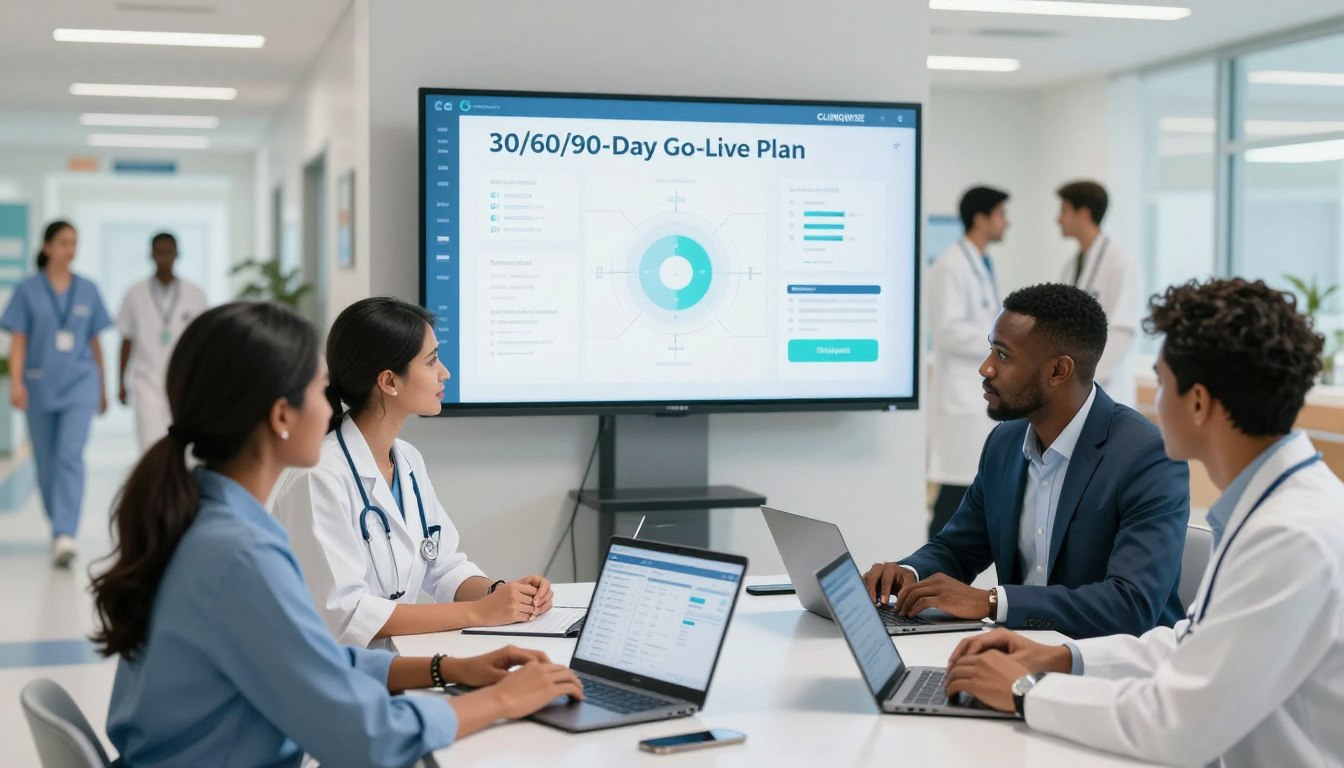
Quick Answer
A successful hospital management software implementation follows five critical steps: Discovery & Workflow Mapping: Document OPD, IPD, billing, and lab SOPs. System Configuration & Data Migration: Clean and import patient and pharmacy masters from Excel or legacy systems. Role-Based Staff Training: Conduct hands-on training for doctors, nurses, and billing cashiers. User Acceptance Testing (UAT): Simulate real-world patient flows and stress-test billing. Phased Go-Live & Stabilization: Roll out OPD first, followed by IPD and pharmacy, backed by on-ground technical support.
Purchasing a new digital system is merely the starting line for healthcare facilities. Many administrators believe the work ends at the point of sale, but the real challenge lies in the transition phase.
A successful hospital management software implementation requires careful workflow mapping, data preparation, and rigorous staff training. Without a structured approach, even the most advanced tools can fail to deliver expected results.
This guide provides a practical roadmap tailored for Indian clinics and medical centers. By following a 30/60/90-day framework, teams can navigate complex tasks like configuration, migration, and testing with confidence.
This process transforms a simple tech installation into a controlled operational change. It ensures that every depa rtment, from billing to clinical records, remains synchronized during the transition.
Key Takeaways
Recognize that selecting a system is only the first step in a long-term digital journey.
Prioritize workflow mapping and data integrity before starting the technical setup.
Utilize the 30/60/90-day roadmap to manage expectations and project milestones effectively.
Focus on comprehensive staff training to ensure high adoption rates across all departments.
Execute a controlled go-live strategy to minimize disruptions to patient care.
Maintain post-launch support to stabilize operations and address emerging technical needs.
What the Hospital Must Establish Before Implementation Begins
Successful hospital software implementation begins long before the first line of code is installed. Before the technical team arrives, the hospital must build a foundation that supports long-term digital growth. This preparation phase ensures that the hospital management system implementation aligns with the unique needs of the facility.
Define the implementation scope, success criteria, and go-live date
Defining the project boundaries is essential to prevent scope creep. Leadership must clearly outline which de partments will be included in the initial phase and what specific outcomes define success. Setting a realistic go-live date provides a clear target for all stakeholders involved in the hms implementation.
Appoint the hospital implementation team and decision-makers
A dedicated team is the backbone of any successful project. Without clear leadership, the transition to a new system often faces delays or resistance.
Hospital owner or executive sponsor
The executive sponsor provides the necessary authority to drive change. They ensure that the project remains a top priority for the entire organization.
Project manager and department champions
A project manager coordinates daily tasks and keeps the timeline on track. Department champions act as internal advocates who help staff adapt to the new hmis implementation.
Clinical, finance, pharmacy, laboratory, administration, and IT representatives
These representatives ensure that the software meets the specific functional needs of their respective areas. Their input is vital for a seamless hospital software implementation.
Document current problems with paper, Excel, or legacy systems
Before moving to a digital platform, the hospital must identify the pain points in its current workflow. Whether the facility relies on paper records or outdated legacy systems, documenting these inefficiencies helps the implementation team design better solutions.
Confirm India-specific operational and compliance requirements
Operating a hospital in India requires strict adherence to local regulations and financial standards. The system must be configured to handle these complexities from day one.
GST-ready billing, tax invoices, discounts, refunds, and payment reconciliation
The billing module must support GST compliance, including accurate tax calculations and automated invoice generation. Proper handling of refunds and discounts is also critical for financial transparency.
ABHA, ABDM, insurance, TPA, and government reporting considerations
Integration with the Ayushman Bharat Digital Mission (ABDM) and ABHA is now a standard requirement. The system must also streamline insurance claims and TPA processing to reduce administrative burdens.

Patient privacy, access control, audit trails, and data retention
Protecting patient data is a legal and ethical necessity. Robust access controls and detailed audit trails ensure that only authorized personnel can view sensitive information.
Approve the implementation budget and resource availability
Securing the budget is the final step before the project officially begins. Hospitals must ensure that both financial and human resources are available to support the hospital management system implementation throughout the entire lifecycle.
Requirement Category | Key Focus Area | Primary Goal |
Financial | GST & Billing | Ensure tax compliance |
Regulatory | ABDM & ABHA | Enable digital health records |
Operational | Data Security | Maintain patient privacy |
Strategic | Resource Allocation | Support project timeline |
The Hospital Management Software Implementation Process After Selection
The post-selection phase is where the vision for a digital hospital becomes a tangible reality. It requires a disciplined approach to ensure that the chosen technology aligns perfectly with the unique operational needs of Indian healthcare facilities.
Complete discovery workshops with every operating department
Success begins with deep engagement. Implementation teams must conduct discovery workshops to understand the specific pain points of every department, from the front desk to the pharmacy.
Looking for a Smooth Hospital Software Implementation?
Experience how Cliniqwise simplifies hospital onboarding with free Excel data migration, 1-screen doctor EMR, and native ABDM M1–M3 compliance. Explore live OPD, IPD, and billing workflows tailored for Indian hospitals with zero downtime.
Map the current and future hospital workflows
Mapping workflows bridges the gap between legacy processes and digital efficiency. This step ensures that the hospital management system implementation checklist remains grounded in reality.
Patient registration, appointments, queue management, and token handling
Digital transformation starts at the entry point. Teams must define how patients are registered and how tokens are issued to manage high-volume OPD traffic effectively.
OPD consultation, clinical notes, orders, prescriptions, and follow-up
Doctors require seamless access to clinical data. Mapping these workflows ensures that electronic prescriptions and follow-up reminders are automated and accurate.
IPD admission, bed allocation, nursing care, discharge, and clinical documentation
Managing inpatient care requires precise coordination. This involves tracking bed occupancy, nursing notes, and the complex discharge process to ensure patient safety.
Billing, deposits, insurance authorization, refunds, and discharge settlement
Financial workflows are often the most complex. Mapping these ensures that insurance TPA integration and final billing settlements occur without revenue leakage.
Prepare the ho spital software implementation plan
A robust plan acts as the roadmap for the entire project. It is essential to utilize a comprehensive hospital software implementation checklist to track progress against predefined goals.
Set milestones, dependencies, owners, approval gates, and escalation routes
Every task must have a clear owner and a deadline. Establishing approval gates ensures that no phase proceeds until the previous one meets quality standards.
Choose a phased, department-wise, or hospital-wide rollout strategy
Hospitals must decide between a "big bang" approach or a phased rollout. A phased strategy often reduces operational risk by allowing teams to stabilize one department before moving to the next.
"Technology is best when it brings people together and simplifies the complex nature of healthcare delivery."
Configure the hospital management system
Configuration involves tailoring the software to the hospital's specific business rules. This includes setting up master data and defining how the system handles taxes and insurance rules.
Set up facilities, departments, doctors, services, packages, rates, taxes, and payer rules
Accuracy here is critical for financial reporting. All service rates and tax structures must be validated against current Indian regulatory requirements.
Configure forms, alerts, print formats, reports, approval workflows, and notifications
Customizing alerts ensures that staff receive timely information. Well-designed reports provide management with the insights needed for data-driven decision-making.
Define user roles and access permissions
Security is paramount in healthcare. Implementing a strict hms implementation checklist for user access ensures that sensitive patient data remains protected.
Separate access for administrators, doctors, nurses, receptionists, cashiers, pharmacists, technicians, and managers
Role-based access control prevents unauthorized data exposure. Each user should only see the information necessary for their specific job function.
Apply least-privilege access, password policies, audit logs, and approval controls
Audit logs provide accountability for every action taken within the system. These controls are essential for maintaining compliance and trust.
Affordable Cloud HMS with Zero Hidden Implementation Fees
Explore transparent hospital software pricing in India starting at ₹10,000/year flat rate. Includes unlimited staff access, free data migration, ABDM readiness, and dedicated 15-minute SLA support without expensive on-premise servers.
Establish change control for configuration requests
Uncontrolled changes can derail an implementation. A formal change control process ensures that every request is evaluated for its impact on the system and the overall project timeline.
Phase | Primary Focus | Key Deliverable |
Discovery | Workflow Analysis | Process Maps |
Configuration | System Setup | Master Data |
Validation | Testing | UAT Sign-off |
Deployment | Go-Live | Operational System |
Days 1–30: Discovery, Workflow Mapping, and Implementation Readiness
Successful digital transformation in Indian healthcare begins with a structured thirty-day discovery phase. This period serves as the foundation for a seamless hospital software deployment, ensuring that all stakeholders are aligned before technical work begins.
Step 1: Launch the project and confirm governance
Conduct the kickoff meeting with the hospital and software implementation partner
The project starts with a formal kickoff meeting involving key hospital leadership and the technical team. This session aligns expectations and establishes the project roadmap for the entire hms deployment.
Approve the communication plan, meeting schedule, issue log, and decision register
Clear governance is vital for hospital software onboarding. The team must finalize a communication plan, set a recurring meeting schedule, and implement a shared issue log to track progress and resolve roadblocks quickly.
Step 2: Complete department-wise discovery and workflow mapping
Observe front-desk, OPD, IPD, billing, pharmacy, laboratory, and inventory operations
Implementation partners must observe daily operations across all departments to understand real-world constraints. This hands-on approach identifies how staff currently manage patient flow and clinical documentation.
Identify duplicate data entry, manual approvals, bottlenecks, and exception cases
Observing these processes helps uncover inefficiencies like redundant paperwork or manual bottlenecks. Identifying these issues early is crucial for a successful hospital data migration strategy.
Step 3: Freeze the initial scope and implementation priorities
Prioritize patient registration, appointments, OPD, billing, pharmacy, laboratory, and IPD workflows
Not every feature can be launched at once. The team must prioritize core modules that directly impact patient care and revenue cycles to ensure a stable hospital software deployment.
Separate essential go-live features from later enhancements
By categorizing requirements into "must-haves" and "nice-to-haves," the hospital avoids scope creep. This focus keeps the project on track for the scheduled go-live date.
Step 4: Design the future-state workflows
Approve standard patient identifiers, service catalogs, clinical templates, and billing rules
Designing the future state involves standardizing how the hospital operates. This includes defining universal patient identifiers and consistent service catalogs to ensure data integrity across the system.
Define how departments will handle cancellations, corrections, refunds, transfers, and downtime
Standard operating procedures for exceptions are essential. Defining these rules ensures that staff can handle complex scenarios like refunds or system downtime without disrupting patient services.
Step 5: Audit existing data and prepare migration rules
Inventory Excel files, paper registers, databases, and legacy HMS exports
A thorough audit of existing records is the first step in hospital data migration. The team must catalog all sources of patient and clinical data to determine what needs to be moved to the new system.
Identify duplicate patients, incomplete records, inconsistent spellings, and obsolete masters
Cleaning data is a labor-intensive but necessary task. Removing duplicates and fixing inconsistent records prevents errors during the hms deployment phase.
Step 6: Confirm technical prerequisites and the next-phase plan
Prepare devices, printers, scanners, networks, backups, user accounts, and test environments
Technical readiness ensures that the infrastructure can support the new software. This includes verifying network stability and setting up secure user accounts for all staff members.
Approve the configuration and data migration schedule for days 31–60
The final step of the first month is securing approval for the next phase. With the discovery complete, the hospital is now ready to begin the configuration and hospital data migration process.
Days 31–60: Configuration, Data Migration, Integrations, and Training Preparation
Days 31 through 60 represent the critical phase where the hospital's operational blueprint becomes a live, configured system. During this period, the project team shifts from theoretical planning to the technical execution of system configuration and data readiness. This transition ensures that the software aligns perfectly with the unique requirements of the Indian healthcare landscape.
Step 7: Configure core hospital modules and master data
Set up facilities, departments, doctors, appointment slots, services, packages, and rate cards
The team begins by populating the system with foundational data. Accurate master data setup is essential for smooth operations, as it dictates how the system handles patient flow and billing.
Configure OPD, IPD, billing, pharmacy, laboratory, inventory, reports, and administration
Each module is tailored to reflect the hospital's specific workflows. This configuration ensures that clinical and administrative staff can perform their duties with maximum efficiency.
Step 8: Clean, map, and migrate hospital data
Standardize patient names, phone numbers, addresses, identifiers, diagnoses, and service codes
Effective hms data migration requires rigorous cleaning of existing records. Standardizing data formats prevents errors and ensures consistency across the new platform.
Built for 10–50 Bed Indian Hospitals & Nursing Homes
Deploy a complete paperless hospital management system without complex IT overheads. Streamline bed allocations, nursing charts, pharmacy stock, and cashless insurance claims in under 2 weeks.
Map Excel or legacy fields to the new hospital management system
Moving from excel to hospital management software involves careful field mapping to ensure no critical information is lost. This process is a vital part of any successful hospital software migration.
Run a test migration before importing production data
The team performs a test run to validate the integrity of the data. By delaying the final import until reconciliation is satisfactory, the hospital avoids potential disruptions during the go-live phase.
Step 9: Build and validate integrations
Connect laboratory instruments or LIS, accounting systems, payment gateways, SMS, email, and messaging services
Seamless connectivity is a hallmark of a modern hospital management system migration. Integrating laboratory information systems and payment gateways reduces manual entry and speeds up patient processing.
Plan integrations for insurance, TPA, pharmacy suppliers, biometric devices, PACS, and ABDM-related services where applicable
For hospitals in India, integrating with ABDM and insurance portals is highly recommended to streamline claims and patient records. These connections form the backbone of a digitally integrated facility.
Step 10: Create reports and management dashboards
Configure revenue, collection, occupancy, doctor productivity, pharmacy, laboratory, inventory, and outstanding reports
Management requires real-time visibility into hospital performance. Configuring custom dashboards allows administrators to monitor key metrics like occupancy and revenue at a glance.
Validate statutory, financial, operational, and department-level reporting needs
The team validates that all reports meet regulatory and internal requirements. This step ensures that the system provides actionable insights for hospital leadership.
Step 11: Prepare role-based training and support materials
Develop department-specific workflows, quick-reference guides, and practice accounts
Training materials must be tailored to specific user roles to ensure high adoption rates. Providing practice accounts allows staff to gain confidence before the system goes live.
Schedule training by shift, role, language needs, and hospital location
A structured training schedule is vital for success. Whether managing legacy hms migration or a fresh implementation, ensuring that every staff member is trained in their preferred language is a top priority.
Step 12: Complete configuration review and training readiness approval
Before moving to the final phase, the project leads conduct a comprehensive review of the system. This final check confirms that the configuration is stable and that the staff is prepared for the upcoming transition. Completing this step effectively turns the excel to hms migration efforts into a fully functional, ready-to-use hospital environment.
Days 61–90: Testing, Pilot Rollout, Training, and Hospital Software Go-Live
During the final stretch of the hms implementation plan, the focus shifts toward ensuring that every clinical and administrative workflow functions perfectly under real-world conditions. This critical phase validates the entire patient journey, from initial contact to final discharge, ensuring the system is robust enough for daily hospital operations.
Step 13: Run end-to-end functional testing
The team must execute comprehensive tests to verify that data flows correctly across all modules. This ensures that the hospital software implementation plan remains on track for a successful launch.
Test registration through appointment, consultation, prescription, billing, payment, and receipt
Staff must simulate the full outpatient cycle to ensure that patient records are captured accurately. Every step, from the initial appointment booking to the final payment receipt, must be verified for data integrity.
Test admission through bed movement, orders, pharmacy, laboratory, discharge, and final settlement
Inpatient workflows require rigorous validation to prevent errors in clinical documentation. This includes testing bed transfers, medication orders, and the final financial settlement process.
Test cancellations, refunds, discounts, credit billing, insurance cases, and emergency workflows
Complex scenarios such as insurance claims and emergency admissions must be tested to handle exceptions. Ensuring these edge cases work correctly is vital for financial accuracy.
Step 14: Conduct user acceptance testing with real department scenarios
User Acceptance Testing (UAT) allows staff to confirm that the system meets their daily needs. This process is essential for identifying any remaining gaps before the system goes live.
Give department champions approved scripts and expected results
Department champions should follow structured scripts to ensure consistent testing across the facility. These scripts help verify that the software behaves as expected in various clinical settings.
Record defects, classify severity, assign owners, and retest fixes
All identified issues must be logged in a central tracker. Teams should classify defects by severity to prioritize critical fixes that could impact patient safety or billing accuracy.
Step 15: Train users and measure readiness
Effective hospital software training is the backbone of a successful transition. Staff must feel confident using the new tools before they are required to use them in a live environment.
Train reception, doctors, nurses, billing, pharmacy, laboratory, stores, administrators, and IT staff
Training must be role-specific to ensure that every user understands their unique responsibilities. Comprehensive hms training sessions should cover both standard operations and troubleshooting steps.
Evaluate users through practical exercises rather than attendance alone
Readiness should be measured through hands-on assessments. Practical exercises ensure that staff can navigate the system efficiently under pressure.
Step 16: Run a controlled pilot rollout
A pilot rollout minimizes risk by testing the system in a live, yet contained, environment. This approach allows for real-time monitoring of system performance and user adoption.
Choose one department, shift, location, or specialty for the pilot
Selecting a single department helps isolate potential issues without affecting the entire hospital. This controlled environment provides a safe space to observe how the software performs in practice.
Operate the pilot with floor support while monitoring speed, errors, adoption, and patient impact
Dedicated support staff should be present on the floor to assist users during the pilot. Monitoring key performance indicators helps the team make necessary adjustments before the full-scale launch.
Step 17: Approve the go-live decision
Before the final deployment, leadership must conduct a formal readiness review. This gate ensures that all technical and operational requirements are met.
Confirm critical defects are closed, data is reconciled, users are trained, and support coverage is available
The hospital data migration checklist must be fully verified to ensure all legacy information is accurate. Leaders should only approve the go-live once all critical defects are resolved.
Approve the final cutover, downtime procedure, communication plan, and rollback threshold
A clear cutover plan defines the exact steps for switching to the new system. Establishing a rollback threshold provides a safety net in case of unforeseen technical failures.
Step 18: Execute hospital software deployment and stabilize operations
The final deployment marks the transition from the legacy system to the new platform. This stage requires careful coordination to ensure that patient care remains the top priority.
Freeze legacy transactions, complete the final migration, and activate production access
Once the legacy system is frozen, the final data migration is performed to ensure the new system is up to date. Production access is then granted to all authorized users.
Provide on-site or remote support across the first shifts and high-volume departments
Immediate support is crucial during the first few days of operation. Having experts available helps resolve minor issues quickly, ensuring that high-volume departments continue to function smoothly.
Module-by-Module Requirements for an India-Focused HMS Implementation
Indian hospitals must align their software modules with local regulatory and operational standards to ensure a smooth transition. A successful hospital system implementation relies on configuring each department to handle real-world patient volumes and complex administrative tasks. By focusing on these functional requirements, teams can ensure that the hospital software rollout meets the unique needs of the Indian healthcare landscape.
Patient registration and appointments
Use a unique patient number, duplicate detection, demographic validation, and consent capture
Support walk-ins, online bookings, referrals, cancellations, rescheduling, tokens, queues, and reminders
The registration module serves as the gateway for every patient interaction. It is vital to implement duplicate detection to maintain a clean database and ensure that every patient receives a unique identification number. Furthermore, the system must capture digital consent to comply with local data privacy standards.
OPD and clinical documentation
Configure doctor schedules, consultation templates, diagnosis, prescriptions, orders, follow-ups, and referrals
Support structured notes while allowing clinically necessary free-text documentation
Efficient OPD management requires flexible tools that support both structured data entry and free-text notes. Doctors need quick access to consultation templates to streamline their daily workflow. This level of preparation is a critical step for any hospital management system go live.
IPD, nursing, beds, and discharge
Set up wards, rooms, beds, admission types, transfers, care plans, nursing notes, and discharge summaries
Test emergency, day-care, package, referral, and against-medical-advice scenarios
Managing inpatient care involves complex coordination between nursing staff and medical teams. The system must track bed occupancy in real-time and facilitate seamless transfers between wards. Testing these workflows ensures that the hospital software go live process remains stable during high-pressure situations.
Billing, payments, insurance, and finance
Configure tariffs, packages, deposits, discounts, taxes, receipts, refunds, credit limits, and approvals
Support cash, card, UPI, online payments, insurance, TPA, corporate, and government payer workflows
Financial modules must handle the diverse payment methods common in India, including UPI and digital wallets. It is essential to configure insurance and TPA workflows to manage corporate billing accurately. Proper tax configuration, including GST, is non-negotiable for financial compliance.
Pharmacy and inventory
Track prescriptions, dispensing, batch numbers, expiry dates, substitutions, returns, and stock adjustments
Configure purchase orders, goods receipts, suppliers, reorder levels, stores, and interdepartmental issues
Inventory control prevents stockouts and ensures that critical medications are always available. The system should automatically track batch numbers and expiry dates to maintain safety standards. This module is a cornerstone of a reliable hms rollout.
Laboratory and LIS connectivity
Set up test catalogs, sample collection, barcodes, result entry, validation, critical alerts, and reports
Verify analyzer interfaces, result transmission, corrections, and authorization controls
Connectivity between the LIS and the central system reduces manual errors and speeds up diagnostic reporting. Staff must verify that barcode integration works correctly during the sample collection phase. This ensures that lab results are accurately mapped to the correct patient records.
Reports, administration, and user access
Provide operational dashboards, financial reports, audit trails, backups, logs, and export controls
Review role permissions, segregation of duties, inactive users, and administrator access regularly
Administrative oversight is the final piece of a successful hospital system implementation. Administrators must maintain strict control over user permissions to ensure data security. Regular audits and robust reporting tools provide the insights needed to manage the facility effectively after the hospital software rollout.
Audit Trails:
Track every change made to patient records.
Role-Based Access:
Limit sensitive data to authorized personnel only.
Operational Dashboards:
Monitor real-time performance metrics across all departments.
Hospital Software Implementation Checklists for a Controlled Go-Live
Achieving a successful digital transformation in a hospital requires rigorous oversight and structured validation at every stage. A controlled go-live for a new hospital management system relies on comprehensive checklists that leave nothing to chance. These tools help leadership teams track progress and ensure that every critical requirement is met before the system goes live.
Hospital software implementation checklist
Effective project management starts with clear documentation and accountability. Teams must ensure that the foundation of the project is solid before moving forward.
Scope, owners, milestones, budget, risks, communication, approvals, and escalation contacts are documented.
Workflows, master data, user roles, reports, integrations, devices, and support arrangements are approved.
Hospital data migration checklist
Data integrity is the backbone of any clinical system. Before moving records, the team must verify that all legacy information is accurate and ready for the new environment.
Source files and legacy exports are inventoried, backed up, cleaned, deduplicated, and assigned owners.
Patient, provider, service, tariff, inventory, supplier, appointment, and financial data mappings are approved.
Test migration results are reconciled and production migration sign-off is completed.
Hospital software training checklist
Technology is only as effective as the people using it. A structured training program ensures that staff members feel confident navigating the new interface.
Training groups, trainers, schedules, practice accounts, attendance, assessments, and refresher sessions are planned.
Super users and shift-wise support contacts are assigned to every department.
Hospital software testing and UAT checklist
Rigorous hospital software testing is essential to prevent clinical errors. By performing thorough user acceptance testing hospital software, the team can identify potential bottlenecks early.
Functional, integration, security, performance, device, printing, reporting, backup, and recovery tests are completed.
Positive, negative, exception, emergency, refund, cancellation, and downtime cases are tested.
Users sign off on critical workflows and all high-severity defects are resolved or formally accepted.
This phase often involves hms testing to ensure that all modules communicate correctly. When conducting hospital software uat, it is vital to simulate real-world scenarios to confirm that the system handles daily pressures effectively.
Hospital go-live checklist
The final transition requires a coordinated effort to switch from legacy processes to the new digital platform. This checklist ensures that all safety nets are in place.
Final migration, user activation, configuration freeze, backups, devices, connectivity, notices, and help-desk coverage are confirmed.
Paper fallback forms, downtime procedures, escalation contacts, and rollback criteria are available.
Post-go-live checklist
The work does not end once the system is live. Continuous monitoring is necessary to stabilize operations and address any immediate user concerns.
Monitor transactions, queues, billing accuracy, data quality, system performance, and user issues daily.
Reconcile migrated records, cash, inventory, laboratory results, appointments, and reports.
Close the hypercare period only after recurring defects and training gaps are addressed.
Responsibilities of the Hospital and the Software Implementation Partner
Successful digital transformation in healthcare requires a clear division of labor between the medical facility and the technology provider. When both parties understand their specific roles, the hospital software implementation process becomes significantly more efficient and predictable. This clarity prevents common bottlenecks that often delay project timelines.
What the hospital is responsible for
Provide executive sponsorship, subject-matter experts, timely decisions, process owners, and accurate requirements
The hospital must appoint a dedicated project lead who has the authority to make critical decisions. Executive sponsors ensure that the project remains a top priority across all departments. Subject-matter experts are essential for providing accurate insights into daily clinical and administrative needs.
Supply clean source data, approve workflows, validate configuration, nominate super users, and release staff for training
Data integrity starts with the hospital team. They must ensure that legacy records are cleaned before migration begins. Furthermore, nominating super users from each department helps bridge the gap between technical teams and end-users during the rollout.
Provide infrastructure, devices, connectivity, security policies, internal communication, and operational support
Reliable hardware and stable internet connectivity are the foundations of any modern system. The hospital is responsible for enforcing internal security policies to protect patient information. They must also manage internal communications to keep staff informed about upcoming changes.
Own change management, adoption, data accuracy, compliance decisions, and final go-live approval
Ultimately, the hospital owns the success of the system. They must drive user adoption through consistent encouragement and training. Final approval for the go-live rests with the hospital leadership, ensuring that all compliance standards are met.
What the software provider or implementation partner is responsible for
Lead discovery, workflow mapping, configuration, technical setup, migration support, integration, testing, and training
The partner brings technical expertise to the table. They lead the hospital workflow mapping sessions to ensure the software aligns with real-world clinical practices. Proper hospital software configuration is their primary duty to ensure the system functions as intended.
Provide documentation, test scripts, release notes, defect tracking, backups guidance, and support procedures
Transparency is vital during the implementation. The provider must supply detailed documentation and test scripts to help the hospital validate the system. They are also responsible for tracking defects and providing clear guidance on data backup protocols.
Protect customer data, follow agreed security controls, document limitations, and meet contracted service levels
Security is a non-negotiable aspect of the partnership. The provider must adhere to strict data protection standards and meet the service levels defined in the contract. They must also be honest about any technical limitations of the software.
Provide go-live staffing, hypercare, issue prioritization, fixes, and knowledge transfer
During the critical go-live phase, the provider offers hypercare support to resolve issues immediately. They ensure that the hospital staff is fully trained and capable of managing the system independently after the project concludes.
How both parties should manage decisions and escalations
Use a shared responsibility matrix, issue log, change request process, and weekly steering review
A shared responsibility matrix acts as the roadmap for the entire hospital software implementation timeline. By maintaining a centralized issue log, both teams can track progress and address concerns before they escalate. Weekly steering reviews keep the project on track and aligned with strategic goals.
Define which changes require cost, timeline, security, compliance, or executive approval
Not every request requires a major change. Establishing clear thresholds for approvals helps maintain the project scope. This structured approach ensures that any modifications to the hospital software workflow mapping are vetted for security and compliance impacts.
Responsibility Area | Hospital Role | Partner Role |
Data Management | Cleaning and validation | Migration and mapping |
System Setup | Infrastructure provision | Configuration and testing |
Training | Staff availability | Knowledge transfer |
Governance | Final go-live approval | Service level compliance |
Common Hospital Software Implementation Mistakes and Practical Remedies
Implementing new hospital software often reveals hidden operational gaps that can derail even the best-laid plans. Many facilities struggle with hospital software implementation mistakes that increase costs and delay project timelines. By identifying these risks early, administrators can ensure a smoother hospital software onboarding process.
Starting configuration before understanding hospital workflows
Remedy: complete department workshops and approve future-state process maps before building the system
Building a system without mapping current processes leads to software that does not fit clinical needs. Teams must conduct thorough workshops to document every step of the patient journey. Once the future-state maps are approved, the technical team can configure the software to match actual hospital operations.
Trying to migrate inaccurate or unnecessary legacy data
Remedy: clean, deduplicate, archive, and validate data before test and production migration
Migrating "dirty" data from old systems often results in errors and poor reporting. Hospitals should prioritize cleaning their databases by removing duplicates and archiving inactive records. Validating this data before the final migration ensures that the new system starts with a clean slate.
Underestimating billing, insurance, TPA, and refund complexity
Remedy: test real financial scenarios, approval rules, payer requirements, and end-of-day reconciliation
Financial modules are often the most difficult to configure due to complex insurance and TPA requirements in India. High hospital software implementation cost often stems from failing to test these financial workflows early. Teams must simulate real-world billing scenarios to ensure accurate revenue cycle management.
Training only administrators instead of daily users
Remedy: train by role and shift, certify super users, and provide floor support during go-live
Effective hospital software change management requires training the people who use the system every day. Relying on administrators to teach others often leads to knowledge gaps. Instead, hospitals should certify super users and provide direct floor support to assist staff during the initial go-live phase.
Launching all modules without a pilot or readiness gate
Remedy: pilot a controlled department, resolve high-impact issues, and use measurable go-live criteria
Launching the entire system at once creates unnecessary operational risk. A trusted hospital software implementation partner will recommend a controlled pilot in a single department first. This allows the team to resolve critical issues before a full-scale rollout.
Allowing uncontrolled customization and scope expansion
Remedy: prioritize standard workflows, document change requests, and protect the 90-day launch scope
Excessive customization often leads to project bloat and maintenance headaches. Adhering to hospital software implementation best practices means prioritizing standard workflows over custom code. Any requested changes should be documented and evaluated against the original project scope.
Ignoring downtime, cybersecurity, and post-go-live ownership
Remedy: test backups, recovery, access controls, offline procedures, incident escalation, and support coverage
Cybersecurity and system reliability are non-negotiable in a modern healthcare environment. Hospitals must establish clear hospital software implementation support protocols to handle technical incidents. Regular testing of backup and recovery procedures ensures that patient care continues even during unexpected downtime.
Common Risk | Primary Impact | Key Remedy |
Poor Workflow Mapping | Low User Adoption | Department Workshops |
Data Migration Errors | Inaccurate Reporting | Data Cleaning & Validation |
Complex Billing Issues | Revenue Leakage | Financial Scenario Testing |
Lack of Support | Operational Downtime | Defined Incident Escalation |
Conclusion
Successful digital transformation in Indian hospitals relies on a disciplined 90-day roadmap. Leaders must prioritize clear communication and shared accountability to bridge the gap between legacy systems and modern technology.
A structured approach ensures that every department moves from discovery to deployment with minimal disruption. Teams should rely on a comprehensive hospital software migration checklist to ensure data integrity during the transition. This practice prevents common errors that often plague complex clinical environments.
Operational readiness requires rigorous validation of all workflows. Staff members gain confidence when they follow a detailed hospital software training checklist before the system goes live. This preparation phase turns potential resistance into active user adoption.
The final transition requires a verified hospital go live checklist to confirm that all technical and clinical requirements are met. Sustained support after the launch ensures that the system continues to deliver value to patients and administrators alike. Hospitals that maintain a controlled scope and measurable goals achieve long-term success in their digital journey.
Looking for an Enterprise Solution?
Discover how Cliniqwise helps clinics & hospitals automate workflows, reduce errors, and streamline patient care.
Frequently Asked Questions
How long does a typical hospital management software implementation take for an Indian hospital?
A standard, well-structured hospital management software implementation generally follows a 30/60/90-day go-live plan. The first month focuses on discovery and workflow mapping, the second month on configuration and hospital data migration, and the final 30 days are dedicated to hospital software training, user acceptance testing (UAT), and the controlled pilot rollout.
Can we m igrate our existing patient records from Excel to hospital management software?
Yes, excel to hms migration is a common part of the hospital software onboarding process. Using a detailed hospital data migration checklist, the implementation team cleans, deduplicates, and maps data from Excel files or legacy hms migration exports into the new system. A test migration is always performed to validate data integrity before the final production import.
How does the HMS implementation handle India-specific requirements like GST and ABDM?
A professional hms implementation in India is designed to be GST-ready, supporting tax invoices, discounts, and payment reconciliation. The hospital software configuration also includes integrations for the Ayushman Bharat Digital Mission (ABDM), including ABHA ID creation, insurance/TPA workflows, and statutory government reporting to ensure full compliance with local healthcare regulations.
What is the role of a "Department Champion" during hospital software deployment?
A Department Champion is a subject-matter expert from a specific area, such as the laboratory or billing desk, who acts as a bridge between the hospital and the hospital software implementation partner. They assist in hospital software workflow mapping, participate in hospital software UAT, and serve as internal "super users" to support their colleagues during the hms rollout.
Why is hospital workflow mapping necessary before starting the configuration?
Hospital software workflow mapping ensures the system is tailored to the hospital's actual operational needs rather than forcing the staff to use rigid, generic processes. By documenting every step of patient registration, OPD consultation, and IPD discharge, the team can configure the hospital management system to eliminate bottlenecks and reduce manual data entry.
How should we prepare our staff for the hms go-live?
Preparation is managed through a comprehensive hospital software training checklist. Training should be role-based, ensuring that doctors, nurses, and billing staff only learn the modules relevant to their daily tasks. Using practice accounts and conducting hands-on exercises ensures staff are confident before the hospital management system go-live date.
What are the most common hospital software implementation mistakes?
Frequent errors include rushing into configuration without proper workflow mapping, attempting to migrate inaccurate legacy data, and underestimating the complexity of TPA and insurance billing. Other mistakes include failing to define a clear hospital software implementation timeline or neglecting to provide on-site floor support during the first few days of the hms deployment.
What is "Hypercare" in the context of hms implementation?
Hypercare is the period immediately following the hospital software go-live where the implementation partner provides intensive, high-priority support. During this phase, the team monitors system performance, resolves recurring user issues, and ensures that hospital data migration records are fully reconciled, only closing the period once the system has stabilized.
Does the hospital software implementation plan include laboratory and pharmacy modules?
Yes, a complete hmis implementation covers all clinical and administrative modules. This includes laboratory and LIS connectivity for automated result entry, as well as pharmacy and inventory management to track batch numbers, expiry dates, and stock adjustments in real-time across the facility.
What technical prerequisites are needed for a successful hospital system implementation?
The hospital must ensure its infrastructure is ready, including stable network connectivity, required hardware (servers, PCs, tablets), and peripheral devices like barcode scanners and thermal printers. These requirements are typically finalized during the first 30 days as part of the hospital software implementation checklist to prevent technical delays during the rollout.