Best Dental Clinic Software in India (2026) | Buyer's Guide
Compare the best dental clinic software in India for 2026. Explore FDI 5-surface tooth charting, operatory scheduling, RVG imaging & GST billing.
Quick Answer
The best dental clinic software in India combines FDI 5-surface tooth charting (ISO 3950), multi-chair operatory scheduling, direct RVG DICOM imaging, and GST-compliant billing. It connects multi-sitting treatment plans (such as root canals), tracks dental laboratory orders, and eliminates chair turnaround delays across solo and multi-chair dental clinics.
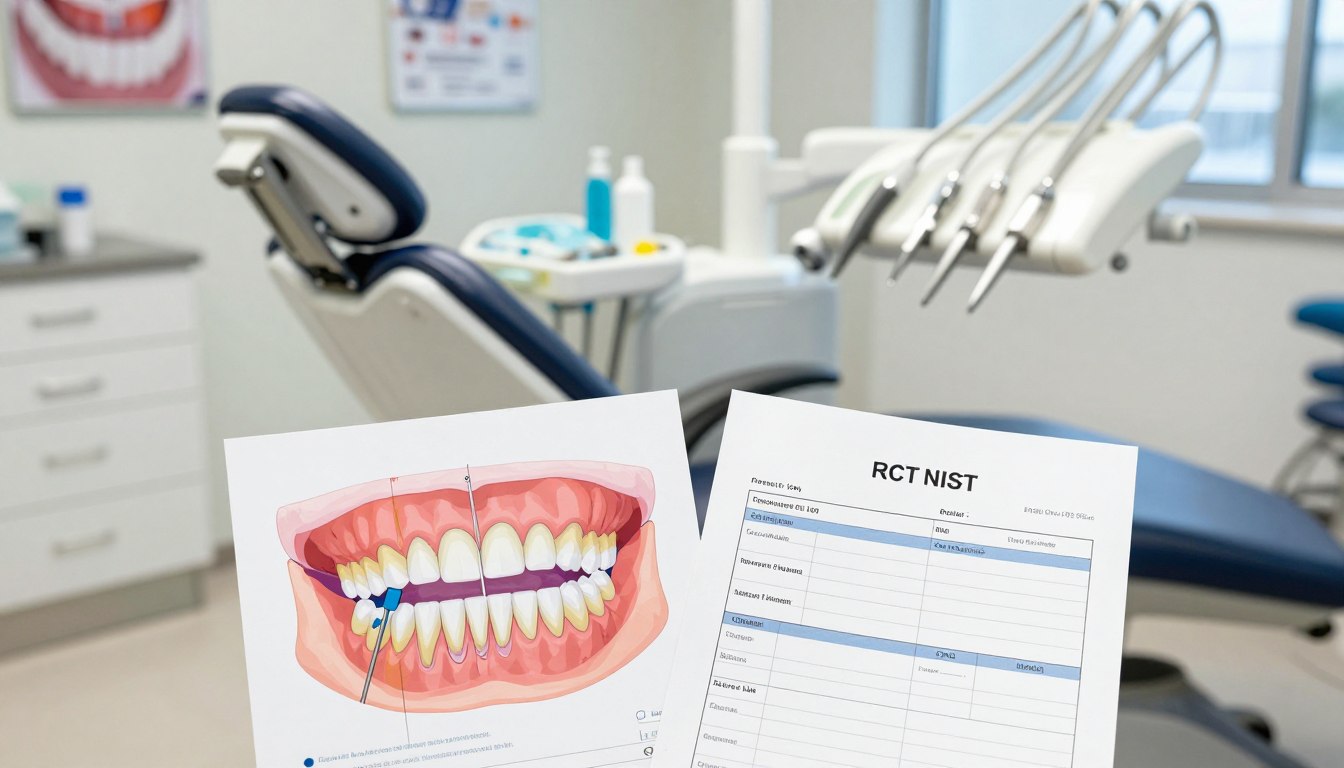
35% higher patient retention is reported for digital dental practices, yet fading pencil tooth charts, an RCT abandoned between sittings, Chair 1 overbooked beside an idle Chair 3, and a crown delayed at the lab expose the daily cost of fragmented records.
For Indian private dental practices, Cliniqwise Dental EMR provides a purpose-built clinical platform connecting interactive FDI tooth charting, phased multi-sitting treatment plans, multi-chair operatory scheduling, DICOM imaging, and GST-compliant dental billing in one unified system.
Manual paper records and isolated registers cost Indian clinics over 2 hours daily in administrative overhead. When an endodontic sitting lacks tooth-wise historical notes or a prosthetic lab order is unsynchronized, chair turnaround halts and patients wait. A modern 2026 practice evaluation must test whether your dental clinic software seamlessly connects the individual tooth, treatment phase, operatory chair, radiograph, and invoice.
Key Takeaways for Dental Practitioners
Tooth-Level Precision:
Demand interactive FDI two-digit (ISO 3950) 5-surface tooth charting for adult (11–48) and pediatric (51–85) dentition.
Operatory Synchronization:
Ensure chair scheduling factors procedure duration (e.g., 60 mins for Crown Prep vs 15 mins for Suture Removal) to avoid chair idling.
Integrated Diagnostics:
Connect RVG digital sensors and OPG scans directly via DICOM standards into patient records without manual desktop exports.
Comprehensive Financials:
Track multi-sitting estimates, lab fee deductions, package advances, and itemized GST dental invoices in real-time.
Automated Retention:
Deploy WhatsApp recall automation for scheduled scaling, aligner reviews, and post-extraction instructions.
How to Choose the Best Dental Clinic Software in India
For a typical Indian dental practice, start with a dental-first system that links tooth-level clinical records to sittings, scheduling, imaging, and billing. Start with the clinical record, not a long list of office tools.
Cliniqwise Dental EMR is a practical first option for the private clinics described here. Choose software that preserves the clinical and financial trail from diagnosis through follow-up.
ISO 3950 is the FDI two-digit tooth-designation system, in which the first digit identifies the quadrant and the second identifies the tooth position. Compare systems against five practical criteria:
Clinical chart depth for tooth, surface, and periodontal findings.
Multi-sitting treatment plans, estimates, and doctor-approved quotes.
Chair scheduling based on procedure length and provider availability.
Imaging linked to teeth and lab work linked to delivery dates.
Indian billing and patient communication, including recall messages.
Review dental clinic software with a case from your own clinic rather than a sample patient alone. A clinic management software search should also separate dental chart needs from general front-desk functions.
Prioritize the clinical record and treatment workflow before comparing optional administrative features.
Cliniqwise Dental EMR fits the typical Indian private practice when the team needs dental-specific charting alongside day-to-day clinic operations. Ask staff to describe their present handoffs, then test whether the software keeps those details together.
8 Non-Negotiable Modules Every Dental Clinic Software Must Have
A dental system earns its place when the clinical chart, treatment plan, chair timetable, images, lab orders, and ledger describe the same patient visit. Connected records help the dentist and front desk work from one case history.
Test every module against a real case, including its next sitting and final payment. The eight modules below show what that test should cover.
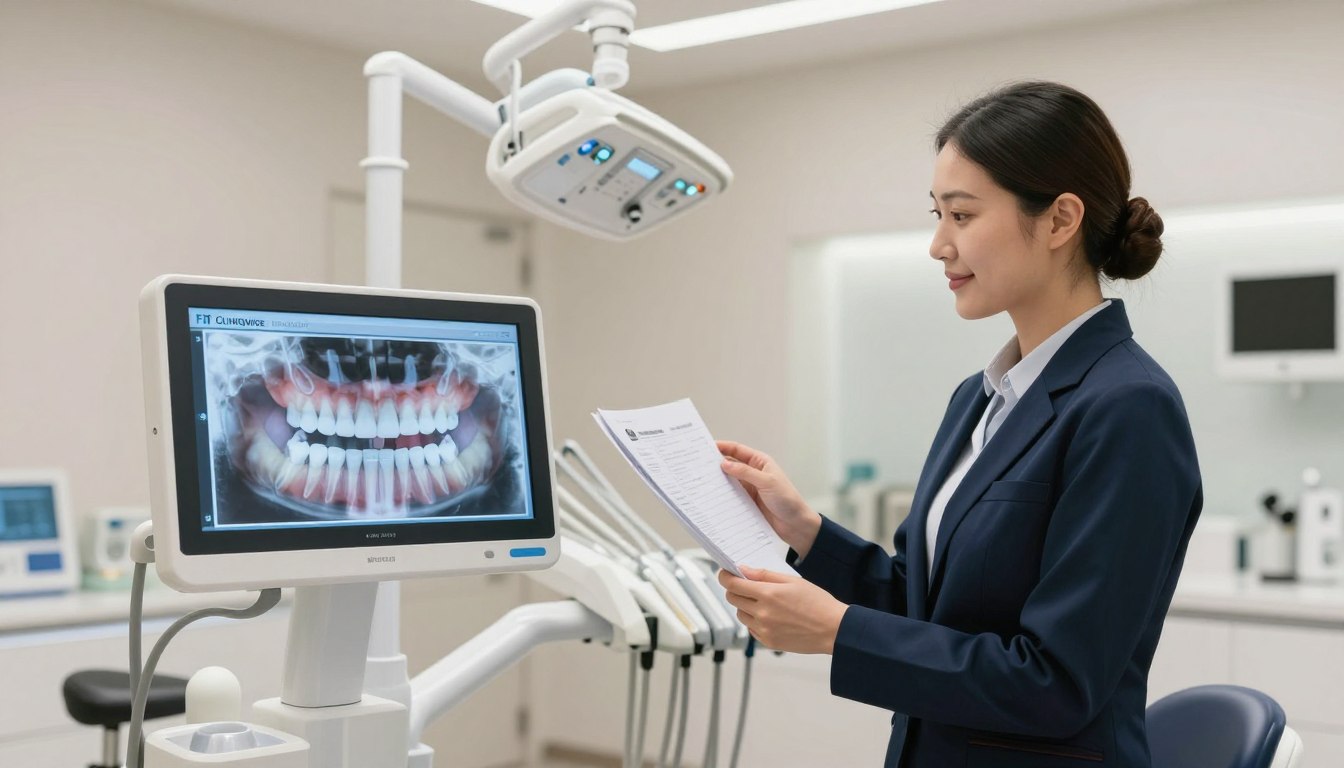
Module 1: Interactive FDI Odontogram & 5-Surface Tooth Charting
ISO 3950 defines FDI notation, a two-digit tooth system. The first digit marks the quadrant; the second marks tooth position, counted outward from the center.
Permanent teeth use quadrant codes 1-4 and positions 1-8, covering 11-48. Deciduous teeth use 51-55, 61-65, 71-75, and 81-85. For example, 13 is the permanent upper-right canine, while 32 is the permanent lower-left lateral incisor.
Chart Occlusal/Incisal (O/I), Mesial (M), Distal (D), Buccal/Labial (B/L), and Lingual/Palatal (L/P) surfaces separately. Record root-apex details, too, so the tooth record can show more than a whole-tooth status.
Periodontal charting should capture recession, probing depth (PD), and attachment level at six sites per tooth or implant, in millimeters. Attachment level can use the formula AL (mm) = PD (mm) - GM (mm), where GM means gingival-margin value.
Record BOP alongside probing depths. A chart may carry forward prior tooth status, depths, gingival-margin values, and BOP values. Mark 1-9 mm pocket depths; a depth of 4 mm or more without attachment loss is a pseudopocket.
A pocket of 4 mm or more that remains after periodontal therapy is a residual pocket. Use visual codes consistently: Active Caries (Red), RCT Completed (Purple), Crown / Bridge (Amber), Composite Filling (Blue), and Extracted/Missing (Crossed).
Same-day walk-ins need a quick path, too. Scaling, polishing, and emergency extraction should not require multi-sitting paperwork just to record a completed visit.
Module 2: Phased Treatment Estimator & Doctor Quoted Price Override
A multi-sitting RCT plan should show the work and payment stage for each visit. One example has Sitting 1 for BMP and Access Opening, Sitting 2 for Canal Obturation, Sitting 3 for Core Build-up, and Sitting 4 for Crown Trial and Cementation.
If the standard RCT quote is ₹3,000 but the doctor agrees to ₹2,200, lock the negotiated quote to the treatment plan and billing ledger. Show Quoted Package Value, Done & Billed, Paid Advances, and Balance Due together.
This makes a reduced quote visible at billing without erasing the agreed value. The dentist can also see which sitting remains before closing the treatment plan.
Module 3: Real-Time 12-Chair Operatory Timetable (08:00 AM to 09:00 PM)
The timetable should show CHAIR-01 through CHAIR-12 and an Unassigned Holding Desk, from 08:00 AM to 09:00 PM. A live red-line minute indicator helps the team see appointment progress against booked time.
Each appointment card should show the tooth code, procedure step, doctor, and arrival status. When reception checks in a patient, the timetable should update at once without a page reload.
That instant sync helps staff spot a late arrival or a chair conflict before the next patient is seated. It also keeps reception and the clinical team aligned during a busy day.
Module 4: Dental RVG & Digital Radiography Viewer (DICOM Web Viewer)
Attach RVGs and OPGs to the patient record and the relevant tooth. A periapical image for Tooth #46 should remain tied to that tooth rather than buried in a general file list.
Chairside controls should include contrast inversion, pan, 360-degree rotation, working-length measurement, and multi-level zoom. Cloud archiving gives authorized staff access to stored images with the patient record, avoiding scattered WhatsApp transfers and images lost on local hard drives.
Use DICOM, the Digital Imaging and Communications in Medicine standard, as the viewer standard to check during a demo. Confirm that the image opens at chairside and stays associated with the correct case.
Module 5: 6-Stage Dental Lab Work Order Tracking (Crowns, Veneers & Aligners)
A lab order should move through six clear stages: Ordered, Sent to Lab, In Fabrication, Received at Clinic, Patient Trial, and Final Cementation. The record should include the prescription, shade, material, and promised delivery SLA.
Log VITA shade codes such as A1, A2, and BL2, plus material choices such as Zirconia, PFM, and E-max. When a customized crown arrives, an automatic WhatsApp alert can tell the patient to book the next visit.
The arrival alert helps staff avoid asking a patient to come before the crown reaches the clinic. The delivery SLA also gives the team a date to follow up on a delayed job.
Module 6: Standardized Procedure Protocols & Sitting Configurator
Standard operating procedures (SOPs) help junior associates and visiting orthodontic or implant consultants follow agreed clinic steps. Set procedure times, such as 45 minutes for RCT and 20 minutes for Scaling.
Link the procedure to its files and required kits, including burs and bonding agents. This gives the team a repeatable setup for each sitting without relying on one person’s memory.
Keep protocol details clear enough for each clinician to use at the chair. A consistent setup can also help the scheduler book a realistic appointment length.
Module 7: Executive Analytics, Doctor Share & Multi-Branch Control
Useful analytics distinguish occupied chairs from idle chairs. Daily collection views should separate cash, UPI QR, and card payments.
Doctor shares can use a percentage or a fixed consultation amount, based on the clinic’s agreed arrangement. Owners with 2+ branches need a central dashboard for branch activity and reporting.
Review collections and chair use by clinic and date. The owner should be able to see branch-level activity without mixing each location’s daily records.
Module 8: Automated Patient Recall Engine on WhatsApp
Recall rules can include six-month preventive scaling visits and configurable intervals such as 6, 12, and 18 months. Aligner tray-change reminders and retainer checks can follow each patient’s care plan.
After chair release, send post-extraction and post-RCT care parchis through WhatsApp. Keep the message tied to the visit so staff can see what instructions the patient received.
Recall and care messages should support patient follow-up without replacing the dentist’s advice. At the demo, trace one active case from tooth chart to the next sitting and final settlement.
5-Stage Multi-Chair Dental Clinic Workflow
A reliable multi-chair workflow starts by creating one patient encounter that can be followed from reception through aftercare. One encounter keeps the appointment, clinical notes, and payment connected.
Set a check-in target under 10 seconds while keeping identity and visit details clear. Reception can start ABHA creation or linking through QR Scan & Share.
Move the encounter through five stages:
Reception Check-In: Generate a token and create or link ABHA through QR Scan & Share.
Chairside FDI Charting: Record findings on a tablet or desktop during the examination.
Phased Treatment Plan & Price Lock: Save the quote and installment milestones for planned sittings.
Operatory Chair Allocation: Assign the patient and review live timetable status.
Ledger Settlement & WhatsApp Care Card: Sync billing and send the post-op care parchi.
Keep the locked treatment quote visible to both the clinical team and the billing desk.
Pricing Models Compared: Flat Annual Subscription vs Per-Chair Charges
A per-chair license scales the bill with every operatory, while a flat annual plan makes the base software cost easier to forecast. License structure matters as a clinic adds chairs or dentists.
Per-chair or per-doctor plans commonly cost ₹1,500-₹2,500 per month. A four-chair clinic may face a stated annual cost of ₹80,000-₹1,20,000 under such pricing.
Cliniqwise outpatient pricing starts at a flat ₹10,000 per year, with unlimited chairs, dentists, and reception logins. Compare the license terms and extra services in writing.
Metric | Per-Chair/Per-Doctor Model | Flat Annual Model | What to Confirm |
Upfront Cost | ₹1,500-₹2,500 monthly per chair or doctor | Cliniqwise starts at ₹10,000 yearly | Full first-year amount |
License Type | Per chair or per doctor | Unlimited chairs, dentists, and reception logins | Included outpatient scope |
Extra Chair Fee | May add a monthly fee per chair | No extra chair limit in the stated plan | Any add-on fee |
Data Migration | Get migration scope and fee itemized | Get migration scope and fee itemized | Records, format, and service charge |
ABDM Integration | Get scope and fee itemized | Get scope and fee itemized | Included workflows and charge |
WhatsApp Charges | Get message fees itemized | Get message fees itemized | Message rates and service scope |
Compare the full annual commitment, including any separately billed setup, migration, or messaging items.
Technical & Legal Compliance for Indian Dentists (2026 Mandates)
An Indian clinic should test consent, ABHA workflow, access control, and record retention as separate compliance functions. Separate checks help prevent a successful login from being mistaken for full compliance.
The DPDP Act’s substantive obligations were scheduled to take effect on 13 May 2027, so do not describe them as a 2026 mandate. Clinics can still assess their data practices and prepare their systems before that date.
ABDM Linking and Certification Checks
Treat ABHA linking, M1-M3 certification, and paperless digital prescription lockers as procurement checks. ABHA linkage alone does not authorize every later use of a health record.
Ask how the clinic can link or create an ABHA during the patient encounter. Check the system’s relevant M1-M3 certification status and the scope of any ABDM workflow it supports.
DPDP Consent, Records, and Breach Response
Before storing intraoral photographs or X-rays, obtain consent that is free, specific, informed, unconditional, and unambiguous. The consent should name the purpose and only the personal data needed for that purpose.
Under the DPDP Rules described in October 2026, breach notices are due without delay after awareness. The clinic must notify affected people and the Data Protection Board, with detailed Board information due within 72 hours unless a longer period is allowed on written request.
Penalties can reach INR 250 crore for failure to use reasonable security safeguards and INR 200 crore for failure to notify a breach. A specified clinical establishment or healthcare professional is exempt from parental consent when child data use is confined to health services needed to protect the child’s health.
The restriction on processing data likely to harm a child’s well-being still applies. Set configurable, tamper-evident record retention for the requested 3-5-year focus, then confirm the applicable period against current DCI and consumer-protection requirements.
Use a documented consent purpose for each permitted use of clinical photographs and radiographs.
Indian Dental Billing: GST-Ready Invoices and Payment Records
For an Indian dental practice, billing needs to keep treatment charges, partial payments, and any pharmacy sales legible in the same financial workflow. Clear line items help staff reconcile care and collections.
Dental treatments in India are typically exempt from charging GST, but check the current applicable tax rules before setting invoice codes. GST-ready billing should support itemized professional invoices and clear payment records.
Track partial payments and advances against the patient’s balance. Ageing analysis helps the clinic review unpaid amounts by due period, while monthly accounting exports support routine reconciliation.
Keep medicine billing lines separate for pharmacy sales where applicable. Record daily collections by cash, UPI QR, and card, and retain the payment method in the ledger.
Keep professional treatment lines and medicine sales distinguishable in the clinic’s monthly billing export.
Comparison Matrix: Paper Cards vs Excel vs Generic HMS vs Specialized Dental Software
The operational difference is whether each system can preserve tooth-level detail and connect it to appointments, images, lab work, and billing. Tooth-level detail is often where general tools stop short.
Specialized dental software records adult and pediatric teeth with two-digit FDI notation and can connect that chart to chairside work. This matrix compares six daily tasks.
Parameter | Paper Cards | Excel | Generic HMS | Specialized Dental Software |
Interactive Odontogram | Manual drawing | None | Text box | 2-digit FDI adult and pediatric |
5-Surface MODBL Charting | Messy | Impossible | Whole tooth only | Individual surface precision |
Multi-Chair Timetable | Wall diary | Static grid | Basic calendar | 12-chair live sync with red-line progress |
Dental Lab Job Pipeline | Phone calls | Manual sheet | None | Six-stage challan and SLA tracking |
Doctor Negotiated Price Override | Memory | Formula errors | Fixed catalog only | Locked ledger override |
Digital Radiography | Physical films | None | External link | Tooth-linked DICOM RVG viewer |
Use the matrix to identify which manual handoff creates the most risk in your own clinic.
Match the Software to Your Clinic Size
The right configuration depends first on whether one dentist, several operators, or multiple branches need to share the same patient and financial workflow. Clinic size changes which controls matter most.
Solo clinics need clear tooth records and follow-up; larger teams need shared scheduling and oversight. This guide is for clinic owners, BDS and MDS dentists, and dental polyclinic chains in Delhi, Mumbai, Bengaluru, Chennai, Hyderabad, and Tier-2 cities.
Practice Type | Priority Workflow | Access/Control Need | Useful Dashboard View |
Solo practice | Tooth-wise records and follow-up | Dentist and reception access | Patient plans, recalls, and balances |
Multi-chair clinic | Chair and doctor scheduling | Shared timetable and role access | Chair conflicts and daily collections |
2+ location chain | Branch reporting and SOP consistency | Local roles with central owner control | Branch activity and consolidated view |
A solo dentist can focus on accurate charting and reminders without building a complex branch structure. The key is keeping each patient’s treatment plan and return visit easy to find.
In a multi-chair clinic, the team needs to see chair and doctor conflicts before they disrupt the day. Access roles also matter when associates or visiting consultants share the system.
A chain needs a consistent way to review each branch while keeping local activity distinct. For a chain, confirm that branch-level activity can be reviewed alongside a consolidated owner view.
What to Test in a Live Dental Software Demo
A useful demo follows one representative patient case rather than clicking through disconnected screens. One case lets the dentist and receptionist see where handoffs work or fail.
Ask the team to complete five live tests using a case that includes treatment, payment, imaging, and follow-up. You can Click here to book a 15-minute live demo of cliniqwise for this test.
Open or create a patient record and chart one tooth.
Schedule a procedure using its chair duration.
Lock a negotiated quote and post a partial payment.
Attach an RVG or OPG to a tooth.
Trigger a lab-arrival or recall message and inspect staff permissions.
Watch whether the change made at one station appears where the next staff member needs it. Check that the consultant’s access is limited to assigned patients and duties.
Have the receptionist and a treating dentist complete the same test case during the demonstration.
Ask each person to describe the task they completed, not just whether the screen looked simple. Their answers can reveal a handoff that a polished presentation may miss.
7-Day Implementation Plan: Going Digital Without Disruption
A one-week rollout works best when data setup and staff practice happen before the live clinic switch. Prepare before launch to protect booked patient care.
Use the seven days to configure, train, and simulate before going live. Keep zero OPD cancellation as the launch aim, not a promise.
Day 1-2: Import patient data and the price catalog from Excel or legacy systems.
Day 3: Configure FDI odontogram templates and customized sitting pipelines.
Day 4: Calibrate RVG sensor software and map operatories.
Day 5: Train reception, doctors, and the lab coordinator by role.
Day 6: Simulate clinic workflows with dummy patient records.
Day 7: Launch live, aiming for zero OPD cancellation.
Before the first live patient, make sure staff can find the right record and know whom to contact when a field is missing. Keep the old appointment view available during the transition if the clinic needs a short reference period.
Keep the Day 6 simulation focused on a complete patient journey, including reception, chair assignment, billing, and follow-up.
Set one staff member to record issues during the dry run and assign each issue to a role. That gives the team a clear fix list before launch day.
Conclusion
Choose the system that keeps the clinical plan and the clinic’s daily operating record connected. Connected records help dentists, reception, and accounts staff act on the same treatment and payment details.
Before rollout, name one clinical lead, one reception lead, and one accounts lead. Ask them to agree on first-week success measures before the team signs off on implementation.
Keep those measures tied to daily work, such as completed records, chair updates, or payment entries. Ask your clinical, reception, and accounts leads to agree on three first-week measures and assign one person to review them.
Looking for an Enterprise Solution?
Discover how Cliniqwise helps clinics & hospitals automate workflows, reduce errors, and streamline patient care.
Frequently Asked Questions
What is the difference between generic clinic software and specialized dental clinic software?
Specialized dental software connects FDI tooth and surface charting with multi-sitting plans, tooth-linked images, and procedure-based chair scheduling. Generic systems may offer patient records and calendars, but lack those dental links. This matters when a dentist needs to see the tooth, image, next sitting, and payment status as one case. Test whether staff can move between those details without re-entering them.
Does the software support both adult permanent teeth and pediatric milk teeth charting?
Yes, dental charting can support adult permanent teeth and pediatric deciduous teeth through FDI notation. Permanent codes run from 11-48. Deciduous codes are 51-55, 61-65, 71-75, and 81-85. Ask the clinician to open both an adult and a pediatric record during a demo. Each chart should show the right dentition and allow tooth-level findings without free-text workarounds.
How does dental lab order tracking prevent delays in crown and bridge deliveries?
A six-stage lab record shows an order from Ordered through Sent to Lab, In Fabrication, Received at Clinic, Patient Trial, and Final Cementation. Shade, material, and the delivery SLA give staff details for follow-up. When the crown arrives, an alert can prompt the patient’s next appointment. That reduces the risk of asking someone to travel before the work reaches the clinic.
Can visiting consultant doctors (Endodontists/Orthodontists) access only their assigned patients?
Yes, when the clinic sets role-based access to limit consultants to assigned patients and duties. The clinic should test permissions using a consultant account before launch. Check what patient records, images, and billing details the role can open. Access should match the consultant’s work rather than exposing every clinic record by default.
How does the software handle negotiated treatment discounts without leaking revenue at the billing desk?
The doctor’s agreed quote should be locked to the treatment plan and ledger. Staff should see Quoted Package Value, Done & Billed, Paid Advances, and Balance Due together. That record gives reception a clear amount to collect and helps the dentist review the plan. It also avoids relying on memory or an unrecorded verbal discount.
Is dental clinic software mandatory to be ABDM compliant in India?
No, buying dental clinic software is not itself an ABDM compliance mandate. A clinic should assess the ABHA and ABDM workflows that apply to its practice and check relevant M1-M3 certification. DPDP substantive obligations were scheduled to take effect on 13 May 2027. A product label alone does not show whether the clinic’s actual workflow meets its duties.